

AI Scientific Figure Generator

Describe your study. Get a paper-ready figure.

Optional
Code layout for frameworks, CONSORT and syntax treesPNG up to 4K and SVGFirst figure free, no account needed

Since launch in April 2026

3,300+

figures generated

1,200+

accounts

100+

countries

Counted from our production database on 23 September 2026.

How it works

From description to figure in three steps

Write what the figure has to show. Vizcept lays it out; you check it against your study and revise.

1

Describe the figure

Write it the way you would explain it to your supervisor, or paste the relevant part of your methods: variables and hypotheses, trial arms and counts, the sentence to parse. Pick the figure type, aspect ratio and resolution under the box.

2

Vizcept draws it

For conceptual frameworks, CONSORT flow diagrams and syntax trees, a language model reads your text into a structure and code lays out the figure, usually in under half a minute. Other figure types are drawn by an image model in about a minute.

3

Check, revise, export

Check the labels, arrows and numbers against your study, then revise in plain language. Every version is kept. Download a PNG for slides and documents, or an SVG to edit in Illustrator or Inkscape.

Who it's for

Built for theses, papers and linguistics courses

Three groups use Vizcept most, and each has a tool built around the figure it gets asked for.

Graduate student drafting a thesis figure on a laptop

Thesis and dissertation writers

Master's and PhD students

Your supervisor wants a conceptual framework that matches your hypotheses and a methods chapter with the right flow diagram. Revise the framework as often as the chapter changes; every version is kept.

  • Conceptual frameworks with each hypothesis on its own arrow
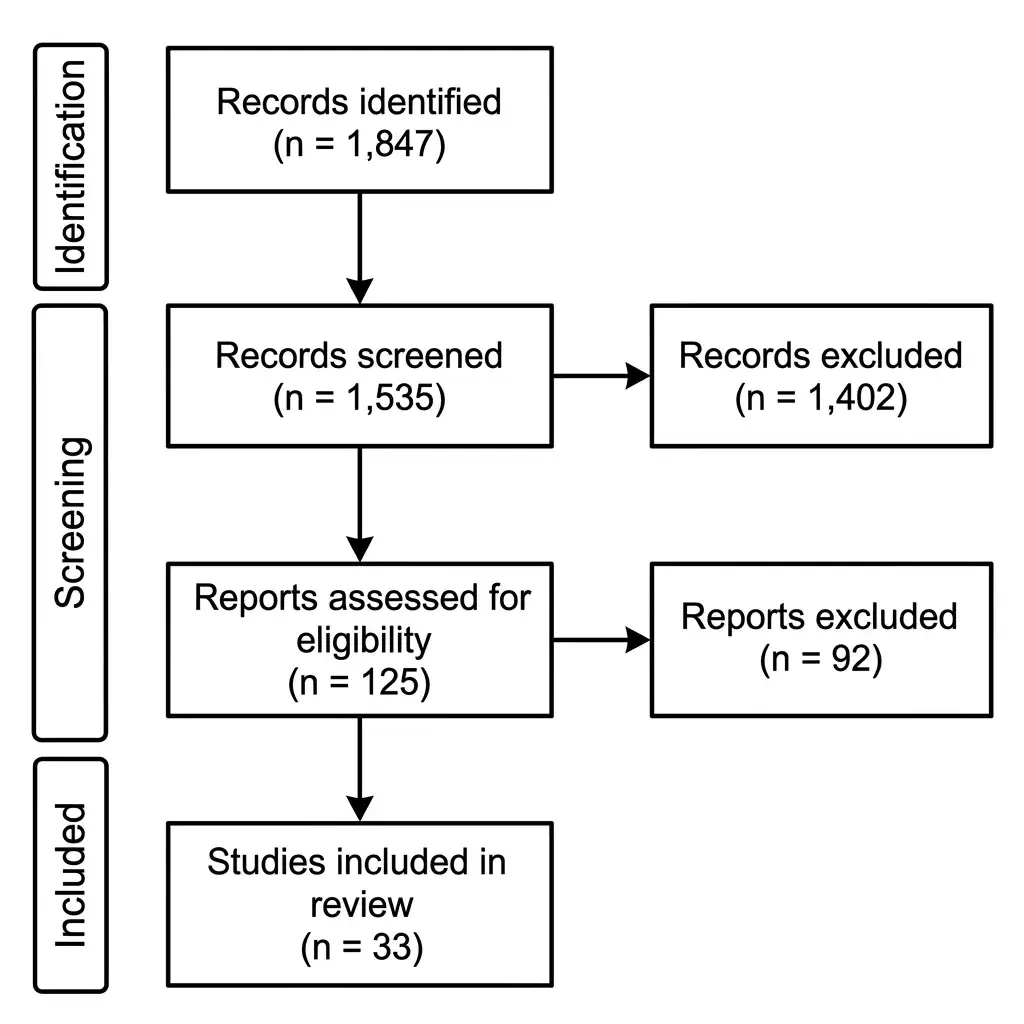
  • PRISMA and CONSORT flow diagrams for the methods chapter
  • Version history for each round of supervisor comments
Open the Conceptual Framework Generator
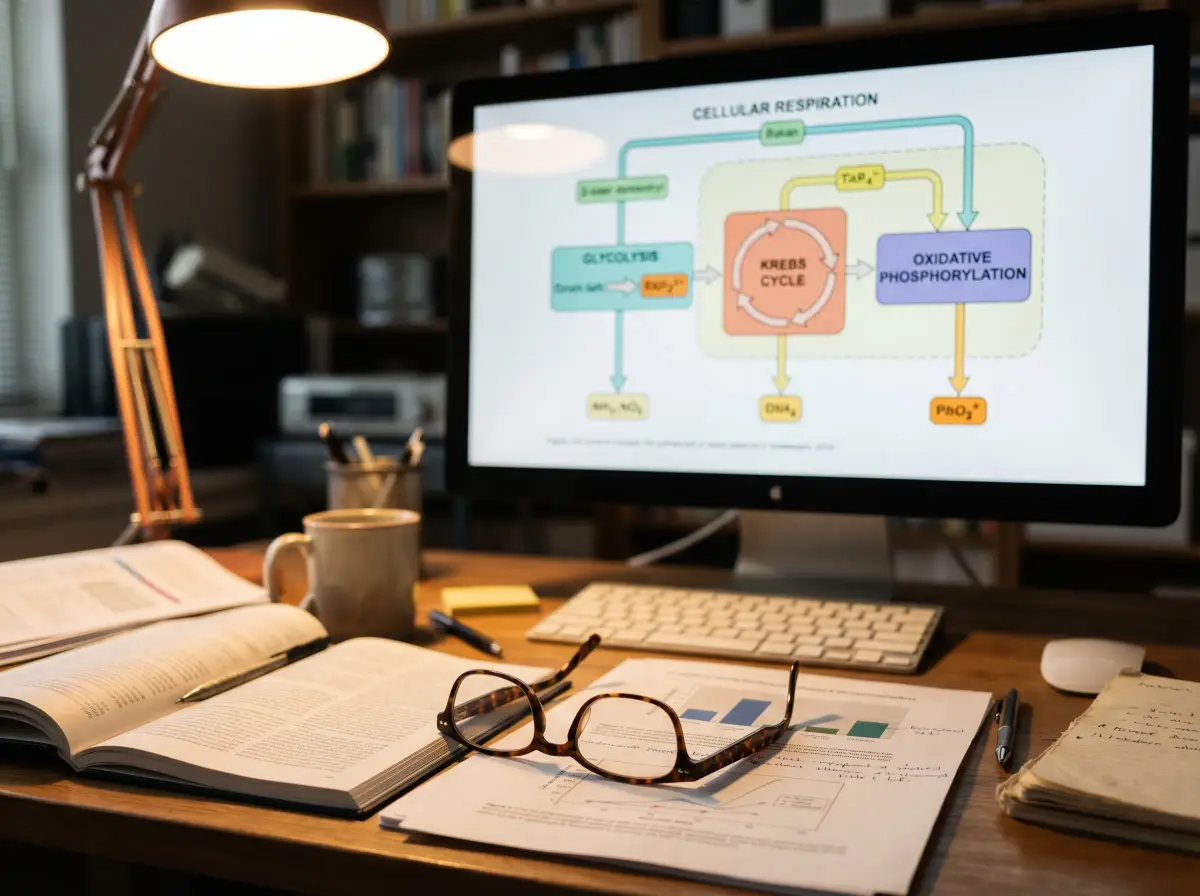
Researcher's desk with a pathway figure on the monitor and a manuscript draft

Researchers writing papers

Journal articles, posters and grant proposals

Trial flow diagrams, graphical abstracts and pathway diagrams for the paper you are submitting. Journals differ on AI-assisted figures, so we keep a table of each publisher's rules and the disclosure line it asks for.

  • CONSORT 2025 flow diagrams with counts copied from your text
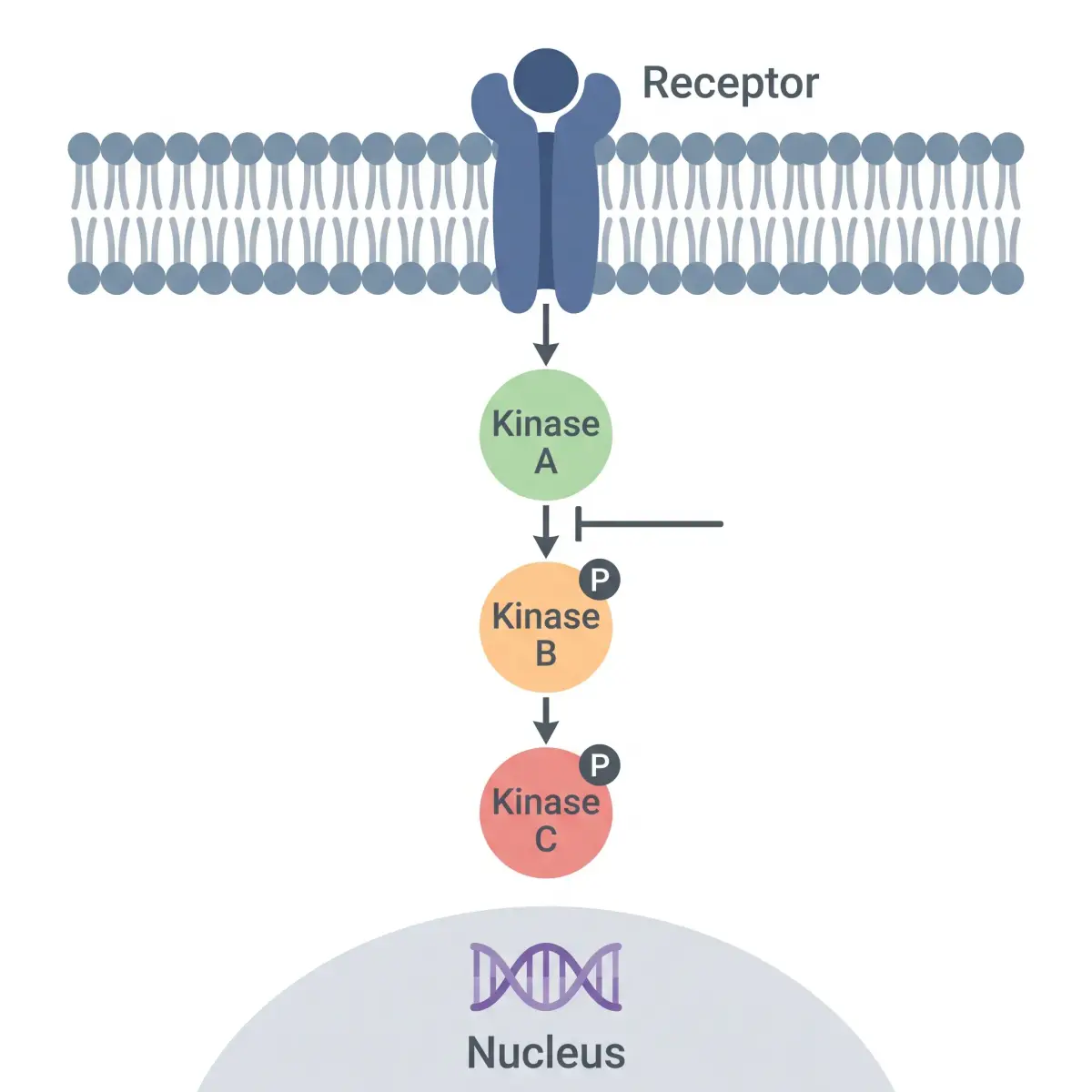
  • Graphical abstracts and signaling pathway diagrams
  • Per-publisher AI figure policies with a disclosure line to copy
See the journal AI figure policies
University lecture hall with a diagram projected at the front

Linguistics students and instructors

Syntax and morphology courses

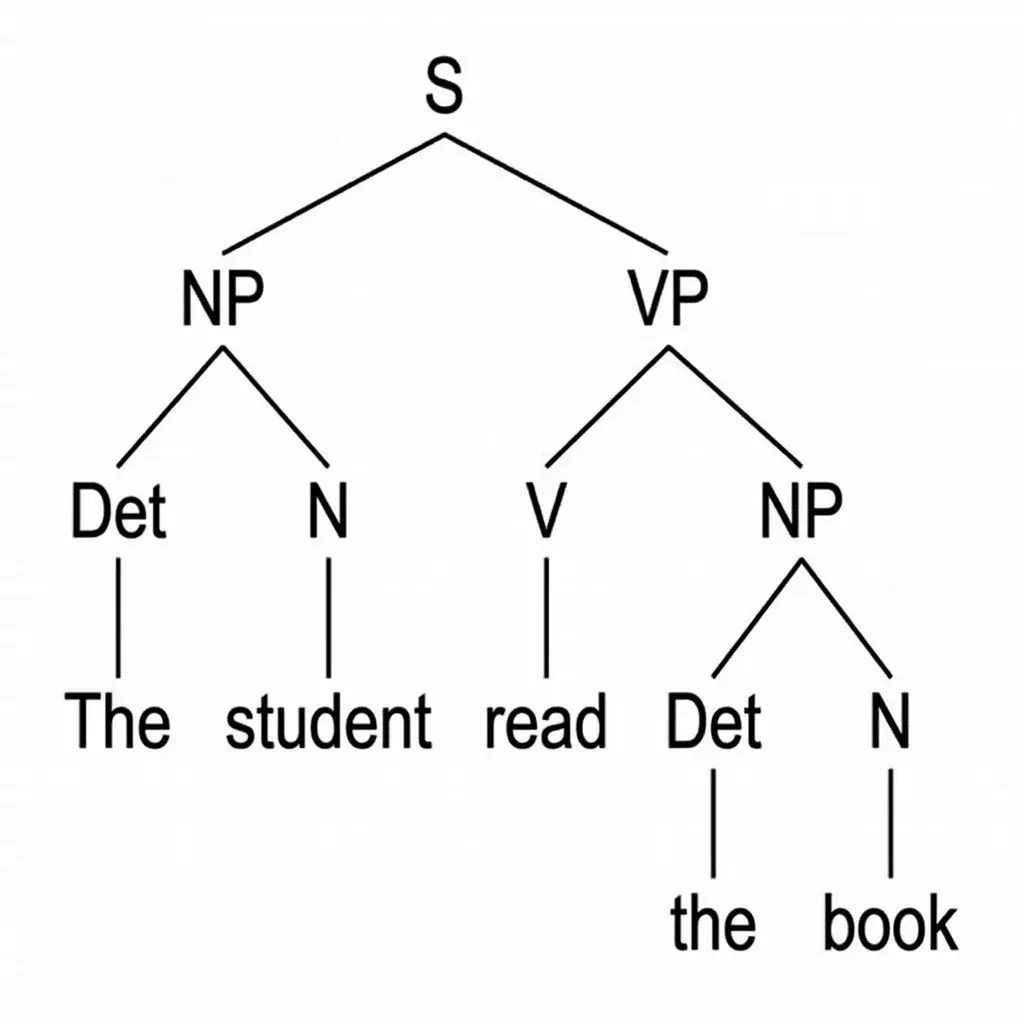
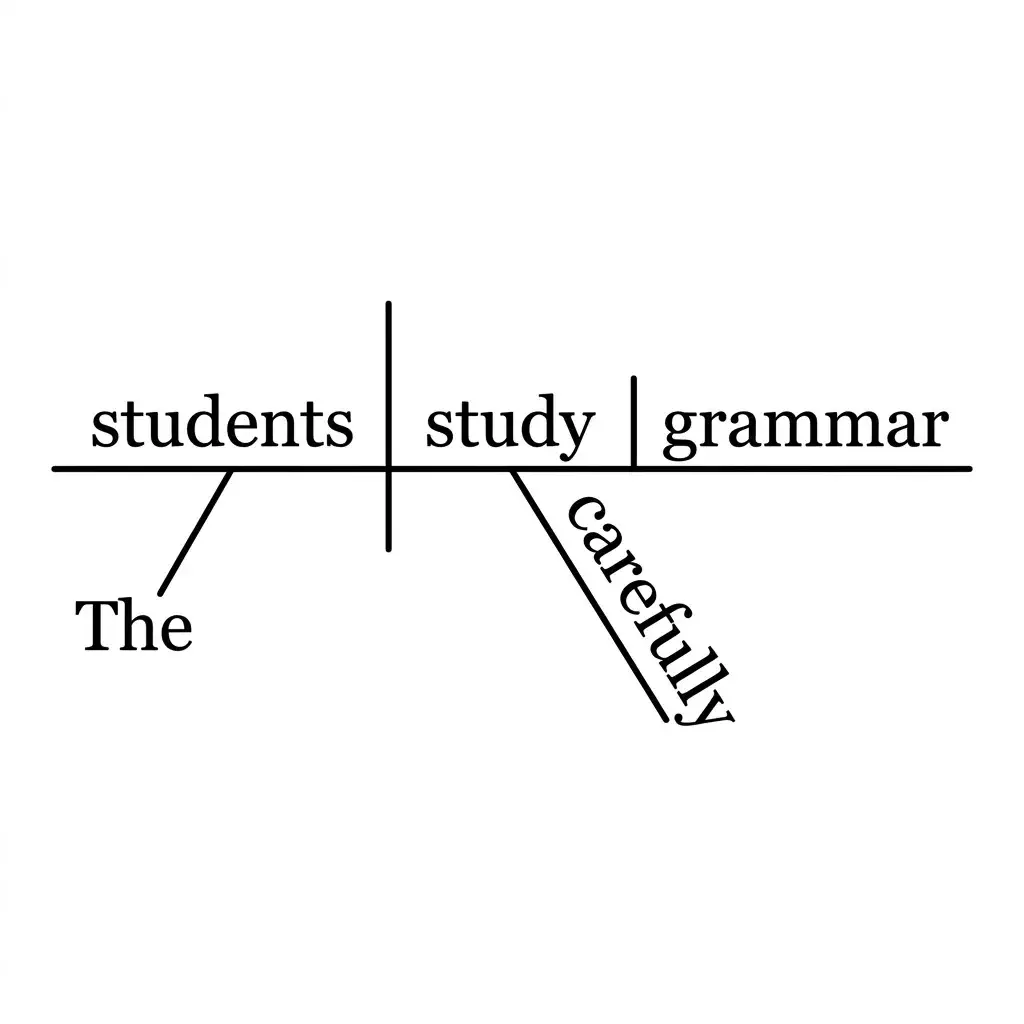
Syntax trees in traditional, X-bar or minimalist notation, with traces, movement arrows and triangles. Trees are typeset by code, so the words and labels on the tree are the ones the analysis returned.

  • Traditional, X-bar and minimalist notation
  • Traces and movement arrows for wh- and NP-movement
  • SVG downloads that keep real, editable text
Open the Syntax Tree Generator

Teaching grammar or homeschooling? Here's how to diagram a sentence, rule by rule.

Real output, not mockups

Figures made from the descriptions on each card

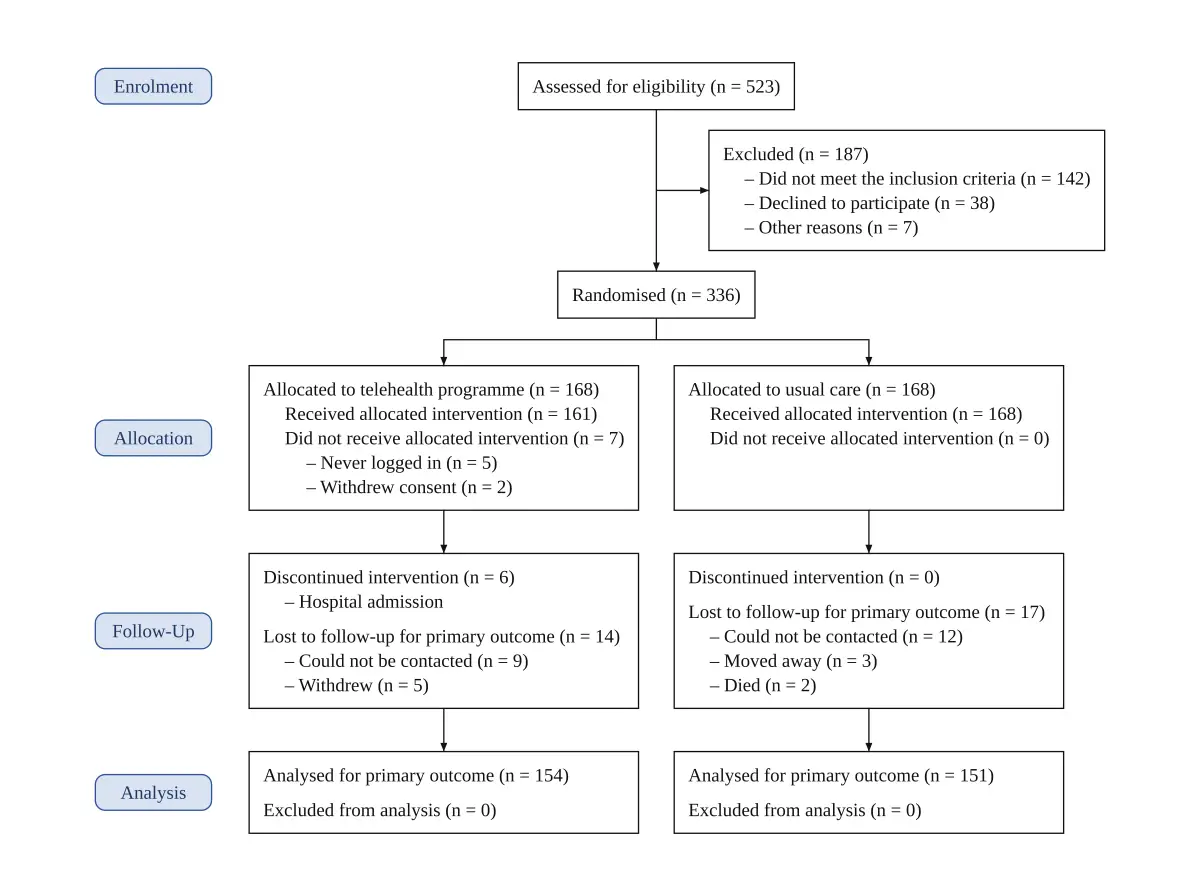
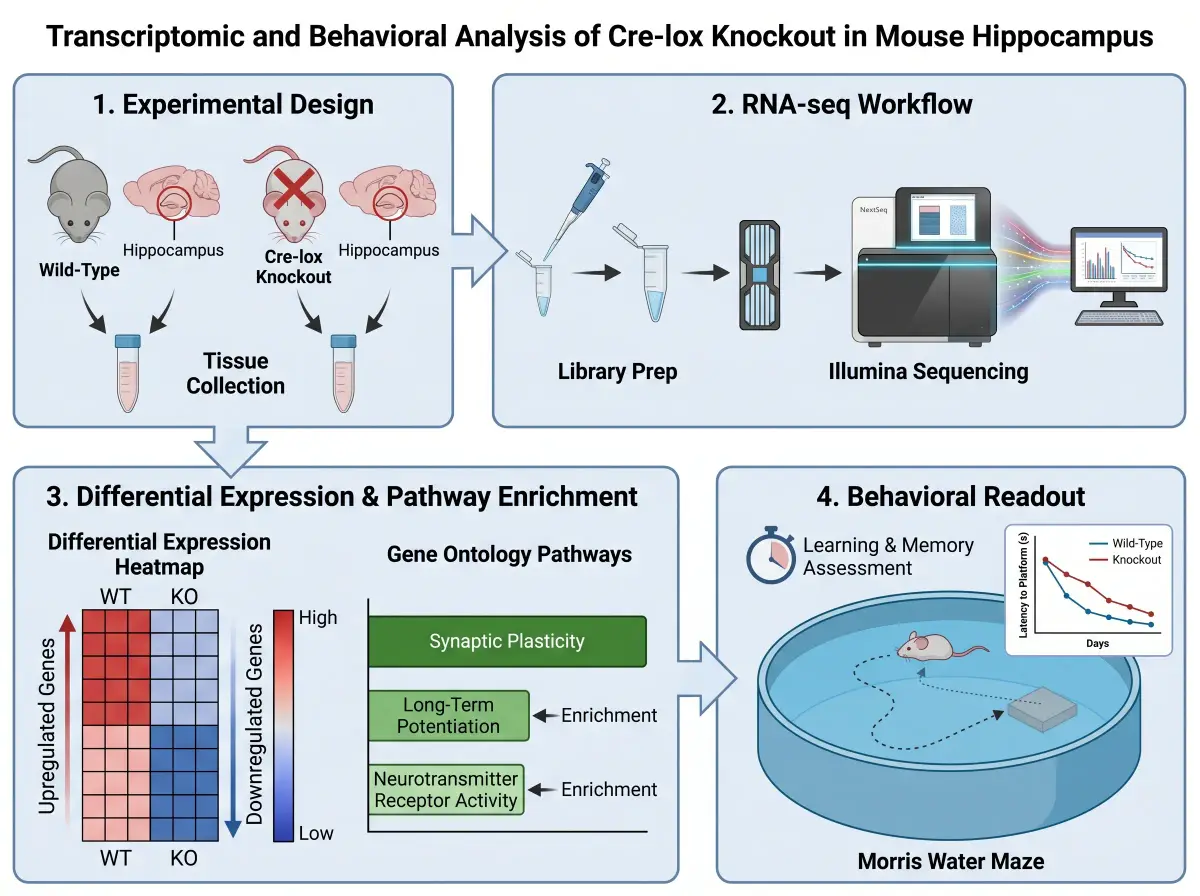
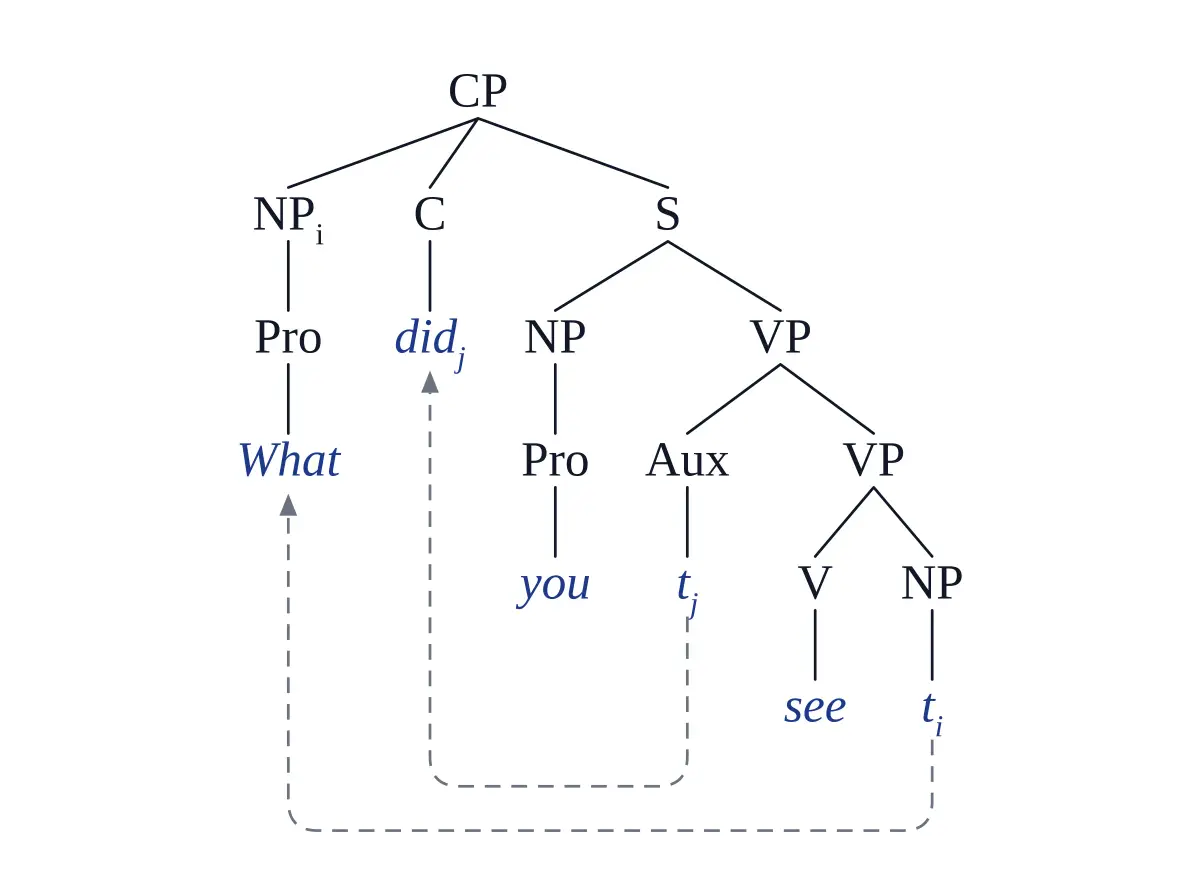
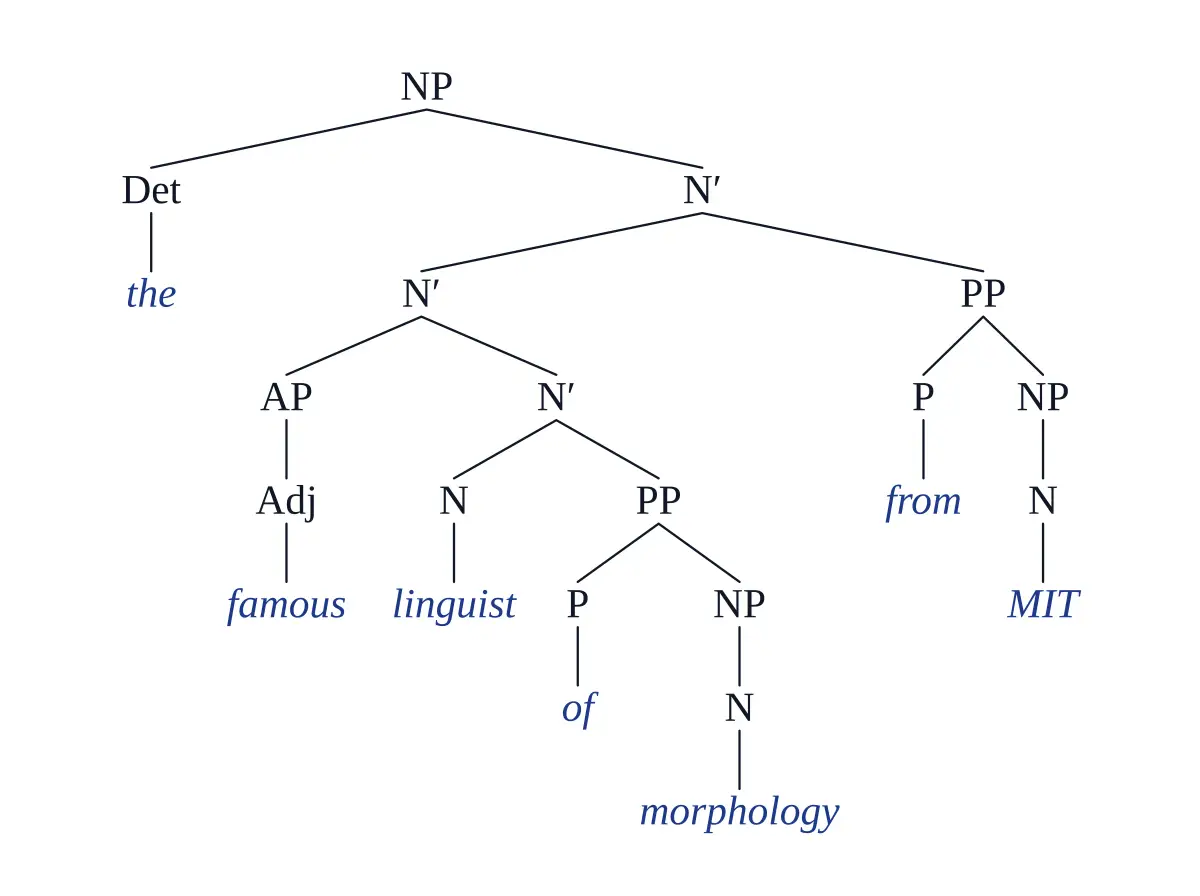
Click “Use this example” to load the same description and figure type into the box above. The framework, CONSORT diagram and syntax trees are typeset by code; the graphical abstract was drawn by the image model.

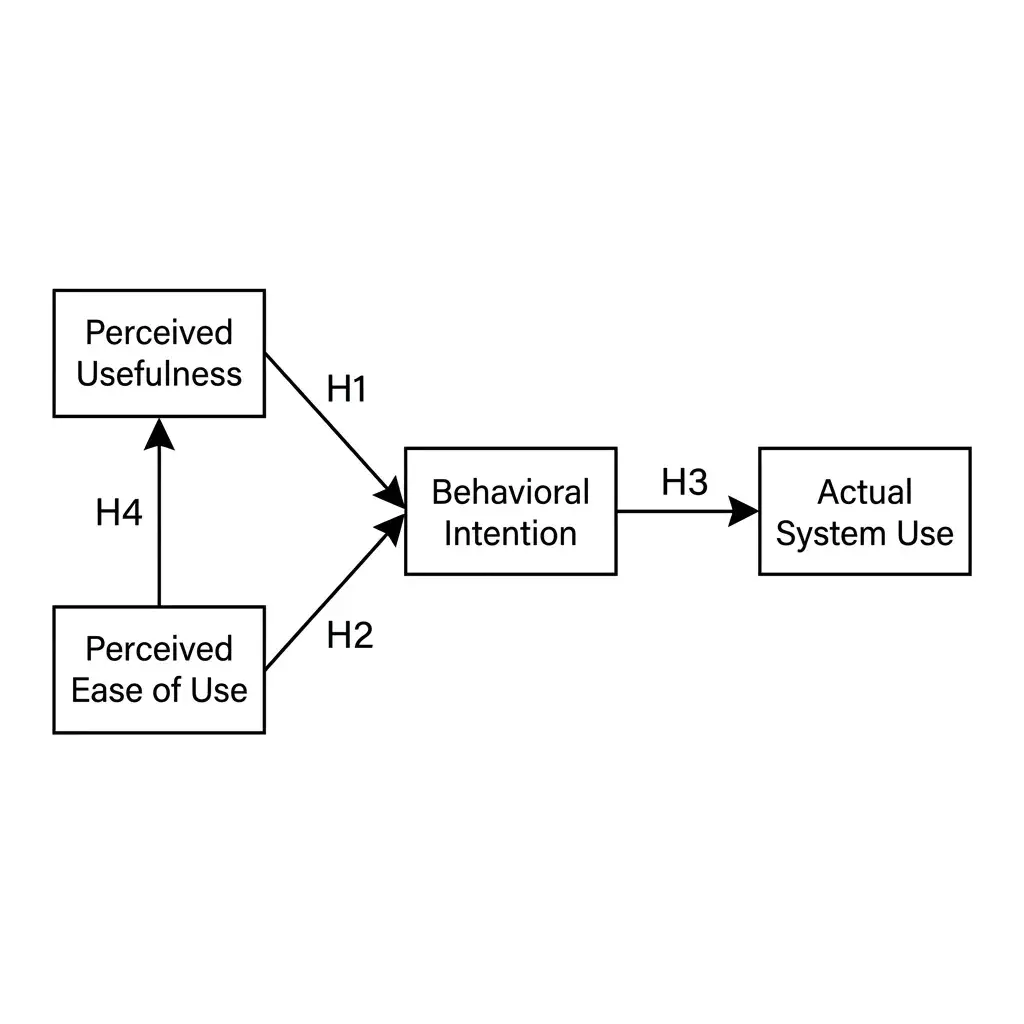
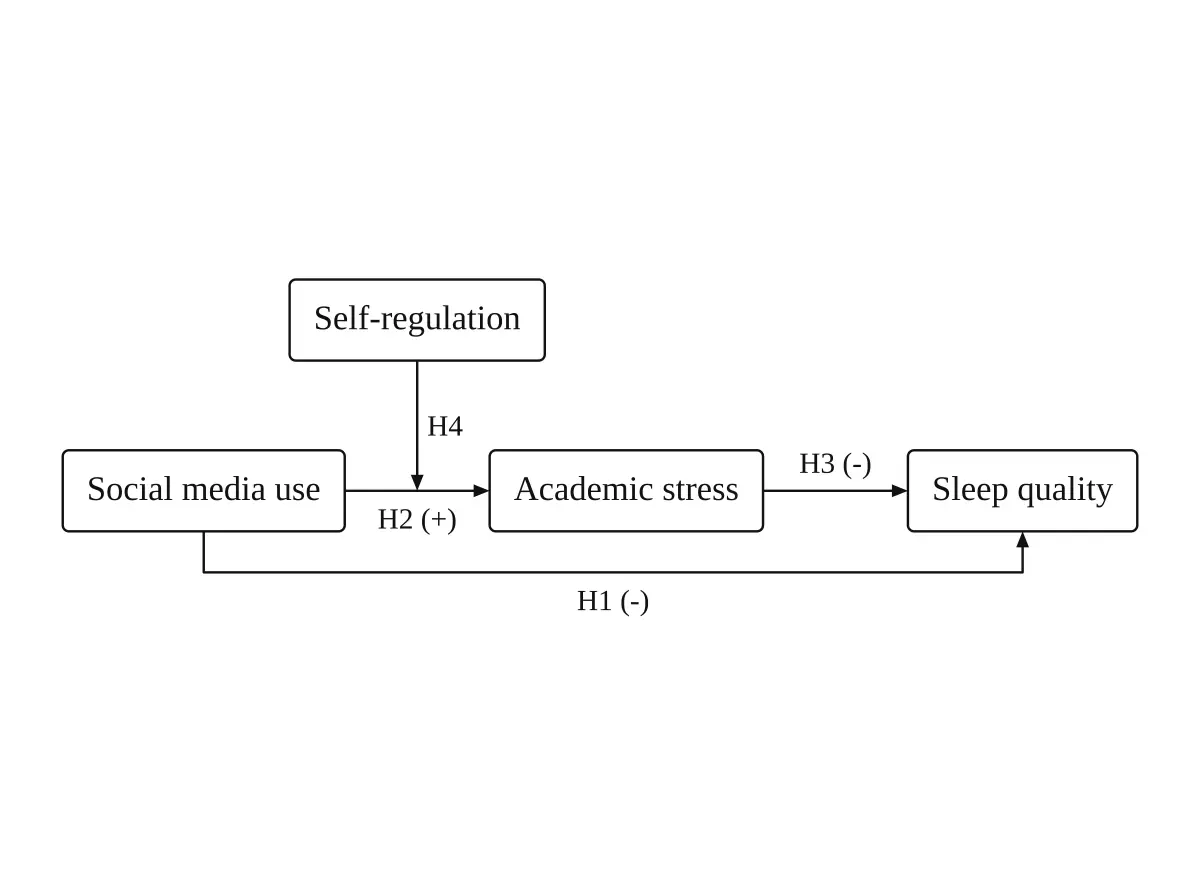
Moderated mediation framework

Moderated mediation framework

Conceptual framework, H1–H4 · typeset by code

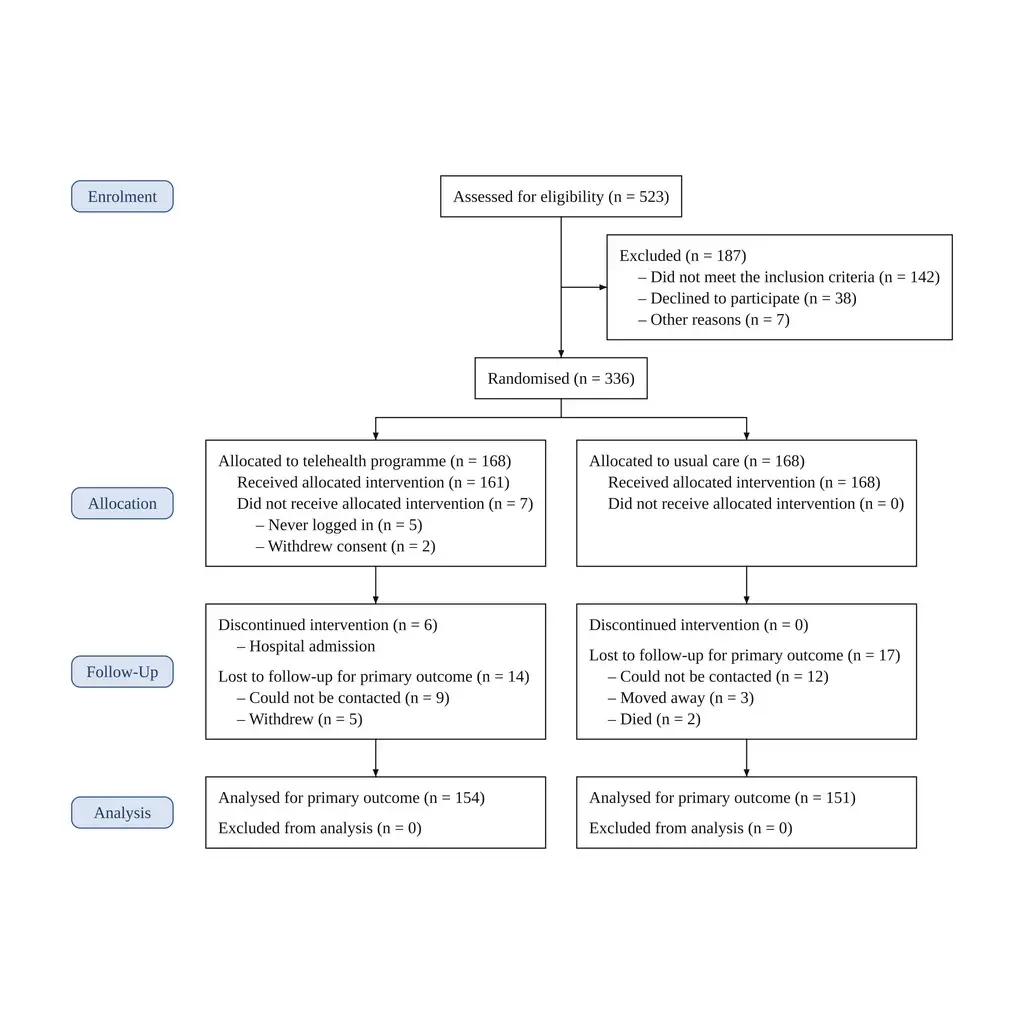
Two-arm CONSORT 2025 flow diagram

Two-arm CONSORT 2025 flow diagram

Randomized trial · typeset by code, counts copied from the text

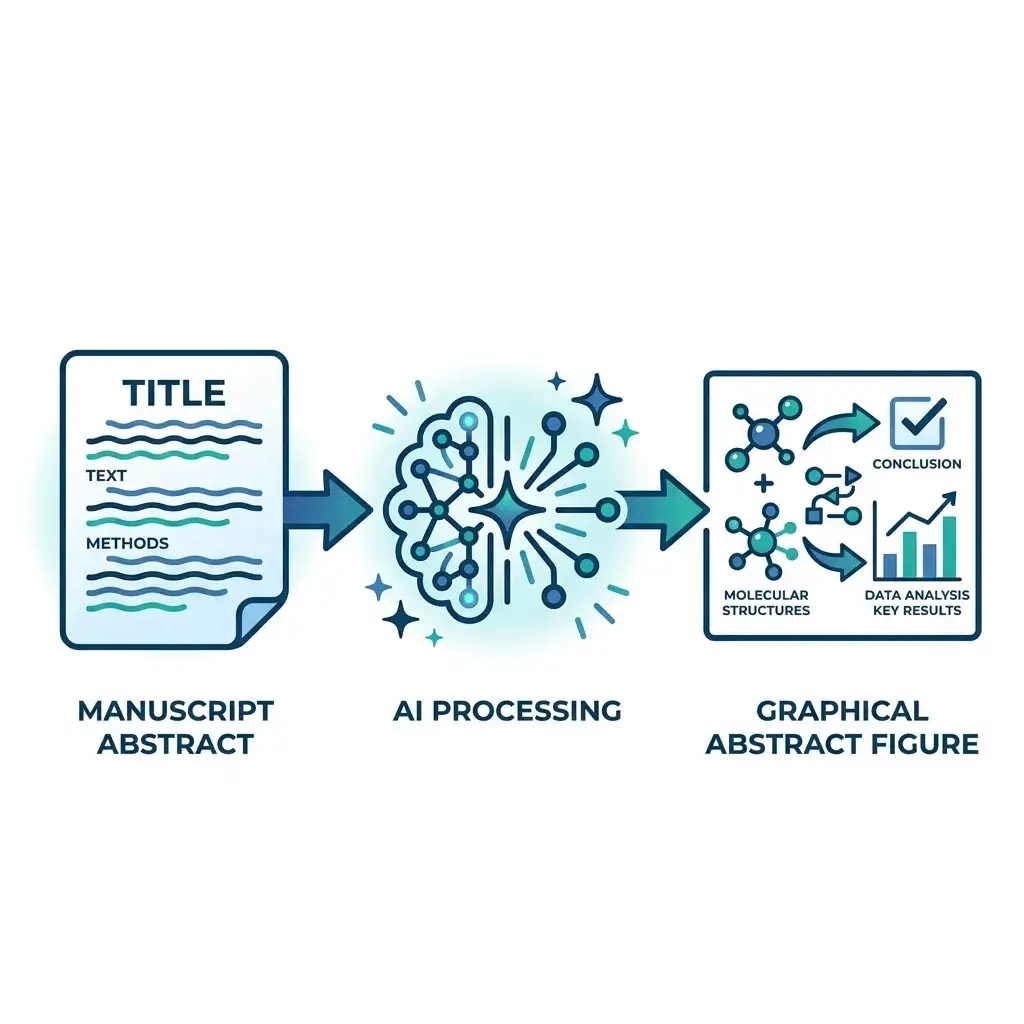
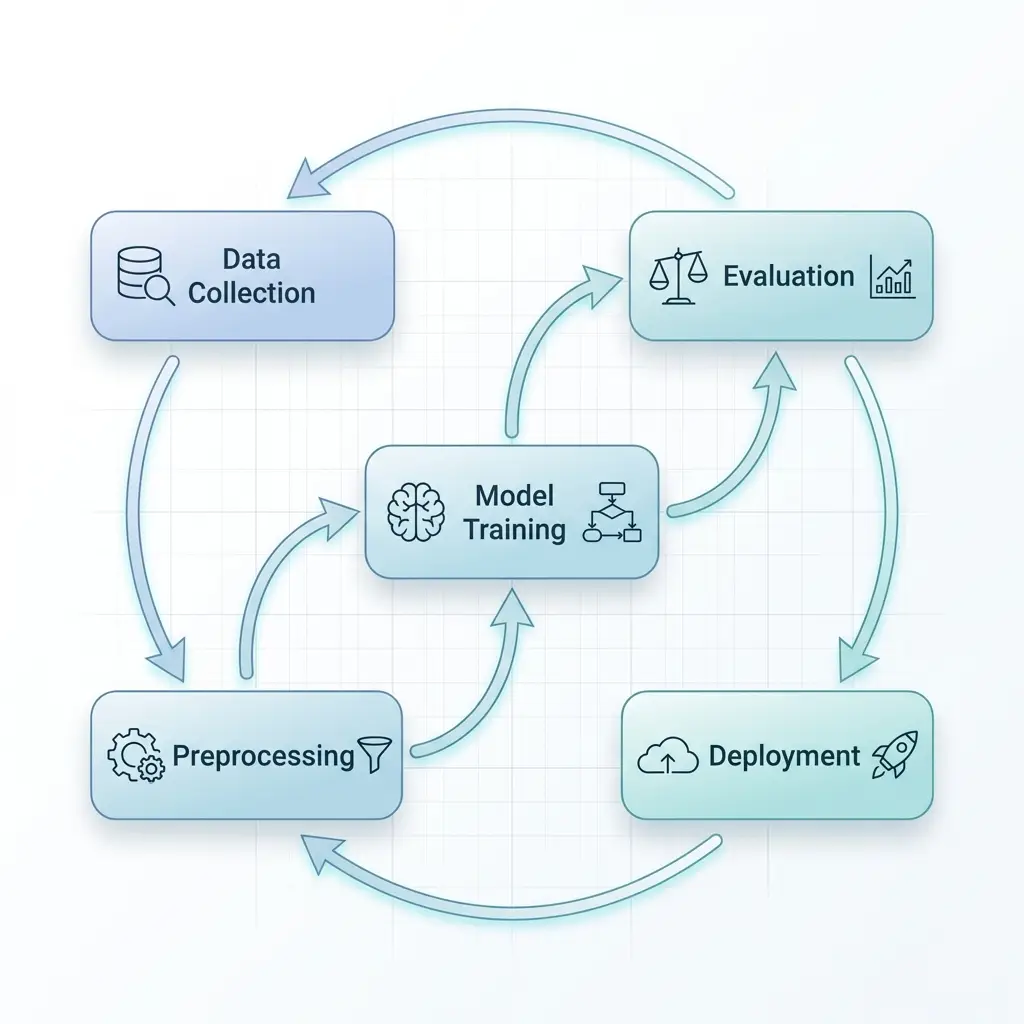
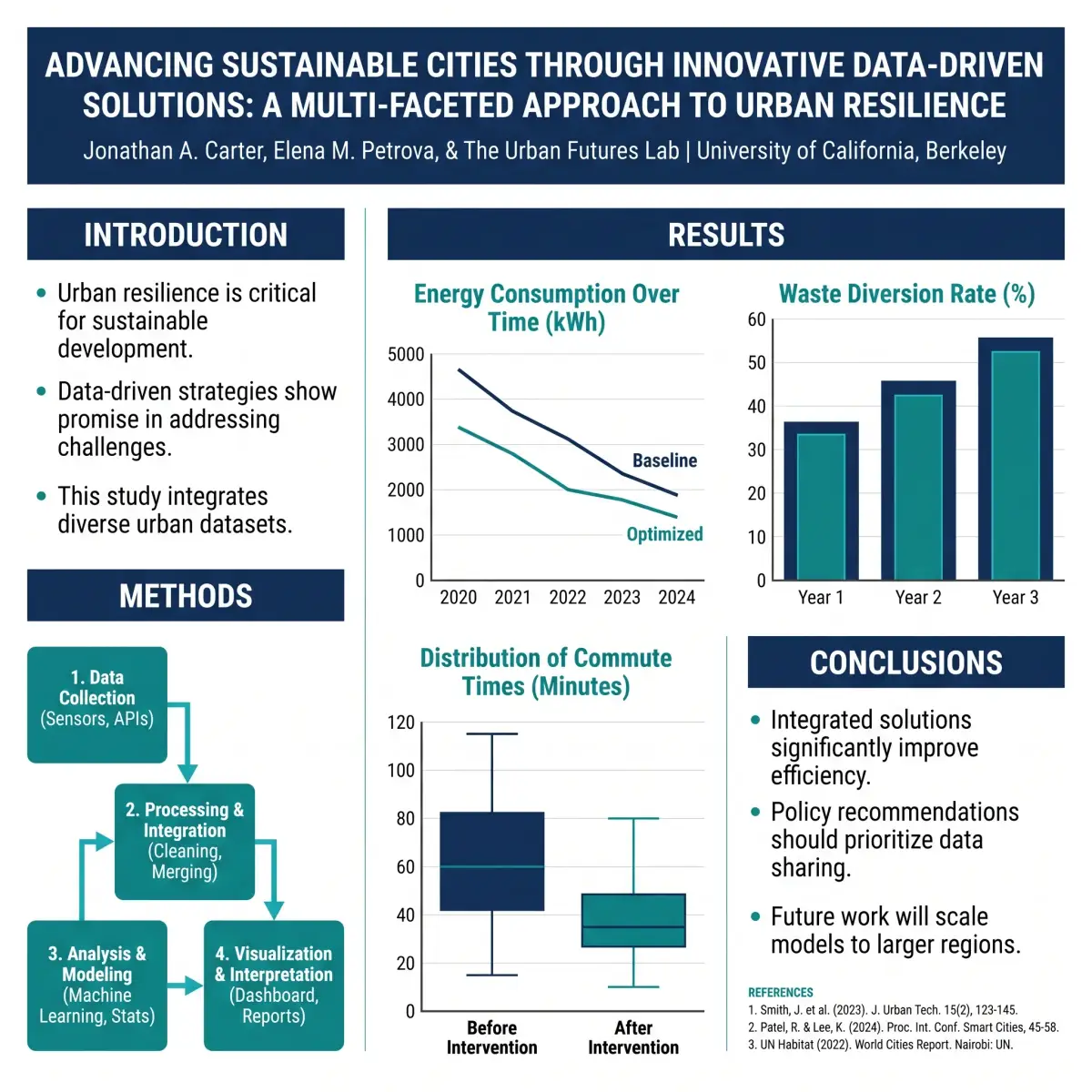
Graphical abstract for an RNA-seq study

Graphical abstract for an RNA-seq study

Graphical abstract · drawn by the image model, check the labels

Wh-movement with traces

Wh-movement with traces

Syntax tree · typeset by code

X-bar noun phrase

X-bar noun phrase

Syntax tree · typeset by code

Why Vizcept

For figures where the structure has to be right

Image models draw clean figures, but they can put an arrow on the wrong path or a number in the wrong box. For the figure types where that changes the meaning, Vizcept lays out the figure with code.

Plain-text description of a study being turned into a scientific figureReads your study

Structure First, Drawing Second

It reads what the figure must show

Describe variables and hypotheses, trial arms and counts, or the sentence to parse. For code-typeset figures, a language model first returns the structure: the constructs and their roles, the path each hypothesis sits on, the box each count belongs in.
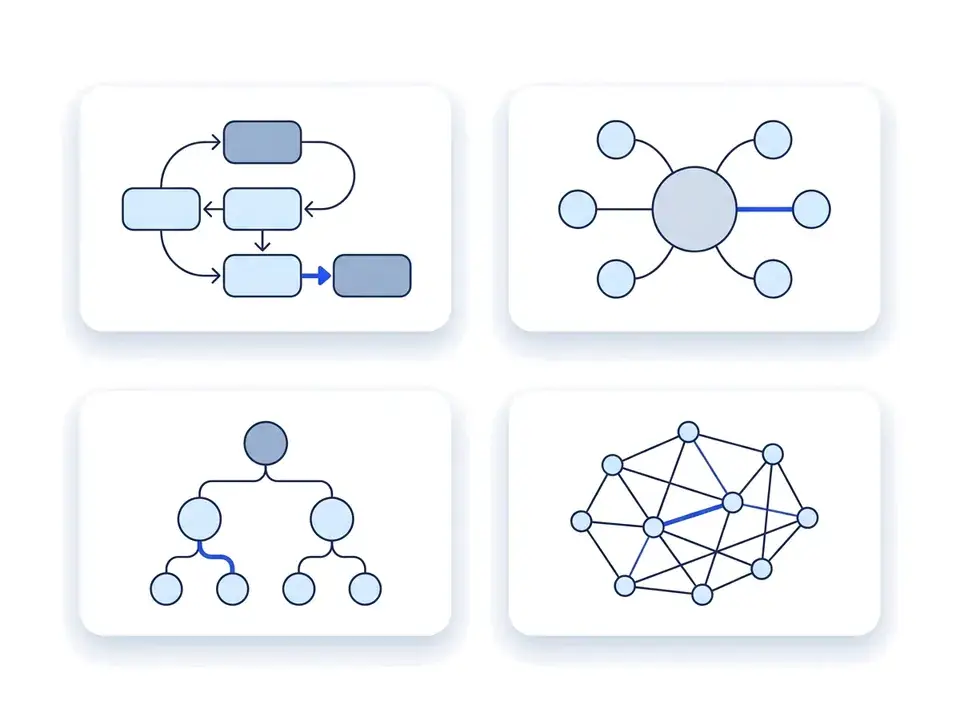
Examples of flowchart, tree and network figure layoutsFigure types

A Tool for Each Figure Type

The conventions are built in

Conceptual frameworks, PRISMA and CONSORT flow diagrams, syntax trees, graphical abstracts, signaling pathways, and posters. Each tool carries its figure type's layout rules, so you don't have to spell out the conventions.

Labeled figure placed on a journal manuscript pageCode layout

Typeset by Code, Not Painted

Frameworks, CONSORT diagrams, syntax trees

For these figure types, code places every box and arrow: a moderator arrow lands on the path it moderates, each hypothesis label sits on one arrow, and any CONSORT count above zero that isn't in your text is left blank rather than calculated. Chinese, Japanese or Korean text, an uploaded sketch, or a failed analysis sends the figure to the image model instead.

Stopwatch beside a figure assembling itselfFast

Seconds, Not an Afternoon in PowerPoint

No more nudging boxes

Code-typeset figures are usually ready in under half a minute, and image-model figures in about a minute. No aligning boxes or rerouting arrows by hand.

Plain-language prompt box turning into a finished figureRevisions

Revise in Plain Language

Every version is kept

Change the description and generate again, or mark up the figure and say what to change. Studio keeps each version so you can return to the one your supervisor approved. Mark-up edits are redrawn by the image model, so change code-typeset figures through the description.

PNG and SVG file cards with a download arrowExport

PNG up to 4K, and SVG

For Word, LaTeX, slides and Illustrator

Download 2K PNGs, or 4K with a plan or credit pack. Code-typeset figures come with an SVG that keeps real, editable text; SVGs of other figures are traced from the image. Watermark-free files come with a plan or credit pack.

Plans and credit packs

Subscribe monthly or yearly, or buy a credit pack that never renews. Signed in, a code-typeset figure uses 2 credits; a 2K figure from the image model uses 5. Your first figure is free, no account needed.

Student or teacher? Apply for an education discount

Apply now

Frequently Asked Questions

What researchers ask before they make their first figure

A tool that turns a written description of your study into a figure: a conceptual framework, a flow diagram, a pathway, a graphical abstract. Vizcept is one. For conceptual frameworks, CONSORT flow diagrams and syntax trees, it lays the figure out with code from a structured reading of your text; for the other figure types, it uses an image model.

Master's and PhD students writing a thesis, researchers preparing papers, posters and grant proposals, and students and instructors in syntax and morphology courses. It isn't built for classroom clip art or school worksheets; free drawing tools do that better.

Conceptual frameworks, CONSORT flow diagrams, syntax trees and sentence diagrams. A language model reads your description into a structure, and code draws the boxes, arrows and labels. They go to the image model instead if your text contains Chinese, Japanese or Korean characters, if you upload a sketch, or if the analysis fails. Everything else, including PRISMA diagrams and graphical abstracts, is drawn by an image model, so check its labels and numbers.

Your first 2K figure is free, without an account. Free downloads are watermarked previews; watermark-free PNG and SVG files come with a monthly plan or a credit pack.

In a thesis, usually yes; check your university's rules on AI tools. Journals differ. Elsevier accepts AI-assisted explanatory figures, such as flow charts and conceptual schematics, if you disclose the tool in the caption, but not general-purpose AI image tools for graphical abstracts. Springer Nature treats content generated from text prompts as high risk, so ask the editor first. No tool can promise that every journal will accept an AI-assisted figure. Our journal AI figure policy page quotes each publisher and gives you a disclosure line to copy.

No. Publishers prohibit AI-generated images of experimental data, and so do our terms. Use Vizcept for explanatory figures: frameworks, workflows, flow diagrams and mechanisms.

Code-typeset figures are usually ready in under half a minute. Figures drawn by the image model take about a minute.

PNG at 2K (5 credits) or 4K (8 credits, with a plan or credit pack); signed in, a code-typeset figure costs 2 credits. For code-typeset figures, the SVG keeps real, editable text; for other figures, the SVG is traced from the image. Watermark-free files need a plan or credit pack.

Edit your description and generate again, or open the figure in Studio, mark the area and say what to change. Mark-up edits are redrawn by the image model, so for code-typeset figures, change the description instead. Every version is kept.

BioRender is a canvas with a large icon library that you arrange yourself, sold by subscription. A general AI image generator paints every label and arrow as pixels, and nothing checks where they land. Vizcept turns a description into a figure, typesets the structure-critical figure types with code, and sells credit packs that never renew.

You own the figures you generate, on every plan. Vizcept does not train AI models on your descriptions or figures, and won't show them publicly without your permission. The AI providers that run the models, APIMart and KIE.ai, process requests under their own terms, which our terms of service summarize.

Plans renew monthly or yearly and add credits each month. Credit packs are one-time purchases that last 365 days and never renew, starting at $19.90. Signed in, a code-typeset figure uses 2 credits; image-model figures use 5 at 2K and 8 at 4K.

Yes, at any time from your account settings. You keep access until the end of the period you paid for, and you won't be charged again.

Describe your study. Get the figure.

Your first figure is free, without an account. Credit packs start at $19.90 and never renew.

Newsletter

Join the community

Subscribe to our newsletter for the latest news and updates

Featured on Findly.tools