Circuit Diagram Maker — AI Schematics From Text

Describe the battery, resistors, capacitors, and connections in plain English. Get a clean schematic with IEEE symbols and labeled components in about a minute.

IEEE standard symbolsSeries & parallel layout4K PNG + SVG export (paid)

Circuit Diagram Maker

Optional

Describe your circuit on the left to generate your own schematic

How the Circuit Diagram Maker Works

No schematic CAD. No dragging symbols. No breadboard photos.

Skip the learning curve of Fritzing, EagleCAD, and KiCad when you only need a clear teaching schematic. Describe the components, their values, and how they connect in plain English — the circuit diagram maker draws the schematic with IEEE standard symbols, labeled nodes, and clean orthogonal wiring. Every circuit diagram generator run produces a figure you can drop into a lab report, problem set, or classroom slide.

1

Describe Your Circuit

List the components (battery, resistors, capacitors, inductors, diodes, transistors, op-amps), their values (9V, 220 ohm, 10 microfarad), and how they connect (series, parallel, junction labels). Mention what the circuit does — a voltage divider, a low-pass filter, a bridge rectifier — so the layout matches convention.

2

AI Draws the Schematic

The circuit diagram maker places the voltage source on the left, ground symbol at the bottom, and wires the components in clean orthogonal paths. Every resistor gets the IEEE zig-zag symbol, every capacitor the parallel-plate symbol, and each component is labeled with its reference (R1, C1, V1) and its value.

3

Export for Lab Reports or Slides

Download a 2K PNG for Google Docs, Word, and PowerPoint — free downloads carry a watermark. Paid plans add the clean original, 4K PNG, and SVG for LaTeX lab reports and textbook revisions.

One Circuit Diagram Maker, Three Classroom Workflows

Students · Educators · Makers

Whether you are turning in a lab report, prepping a circuits lecture, or documenting your Arduino project, this circuit diagram maker turns a description of components and connections into a schematic your instructor recognizes. The same circuit diagram generator works for AP Physics problem sets and for open-source hardware tutorials.

Physics & EE Students

Problem sets, lab reports, exam prep

Your physics set asks for a Wheatstone bridge schematic. Your circuits lab wants a clean RC filter figure. You already know the theory — you just need a diagram your TA will actually read. The circuit diagram maker draws it in about a minute with IEEE symbols, so you can focus on solving the problem, not placing zig-zags in Word.

  • Series, parallel, and combination layouts handled automatically
  • IEEE symbols your textbook and TA expect
  • Free credits on sign-up — no payment info required
Draw Your First Schematic

Physics & EE Educators

Lecture slides, worksheets, exams

You teach circuits twice a year and need twenty clean schematics for the next problem set. Describe each circuit once and the circuit diagram maker produces labeled figures that match your textbook conventions — no more screenshotting fuzzy images from YouTube or redrawing in PowerPoint between class blocks.

  • Blank and labeled versions for the same circuit
  • Consistent symbol style across an entire problem set
  • SVG export (paid) for textbook and problem-bank revisions
Generate a Lecture Schematic

Makers & Hobbyists

Arduino, Raspberry Pi, DIY electronics

You built a sensor shield over the weekend and want a clean schematic for the build log — not a messy Fritzing breadboard photo. Describe the circuit around your microcontroller and the circuit diagram maker outputs a traditional schematic your readers can trace and rebuild.

  • Supports transistors, op-amps, logic gates, sensors
  • Wires routed orthogonally — no tangled breadboard view
  • SVG export (paid) for GitHub READMEs, blog posts, and build logs
Document Your Project

AI-Generated Circuit Schematics

Six circuits, ready to remix

Every schematic below was generated from a plain-text description of components and connections. Click any example to load the prompt and adapt it to your own circuit — change the component values, add a load, swap an NPN for a PNP.

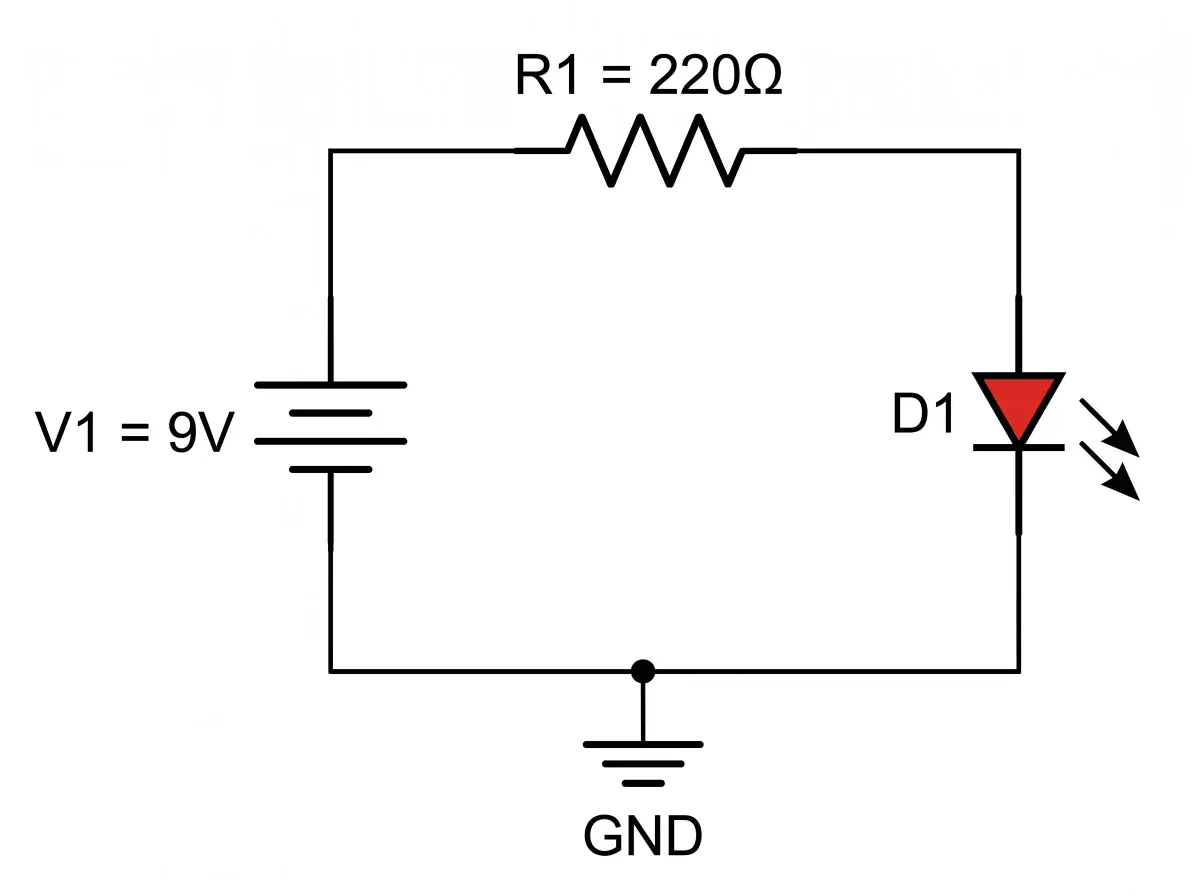
Simple DC Circuit

Simple DC Circuit

Battery, resistor, and LED in series

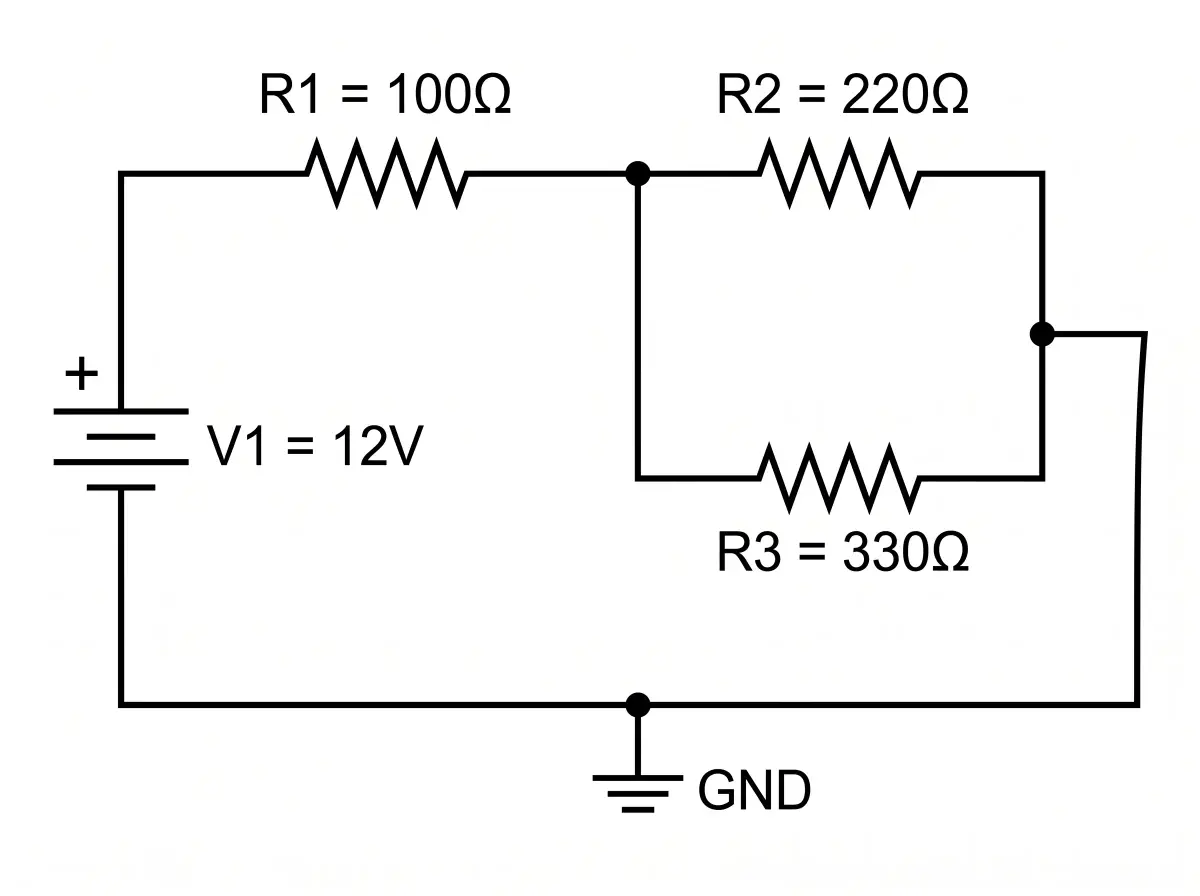
Series-Parallel Network

Series-Parallel Network

R1 series with R2 parallel with R3

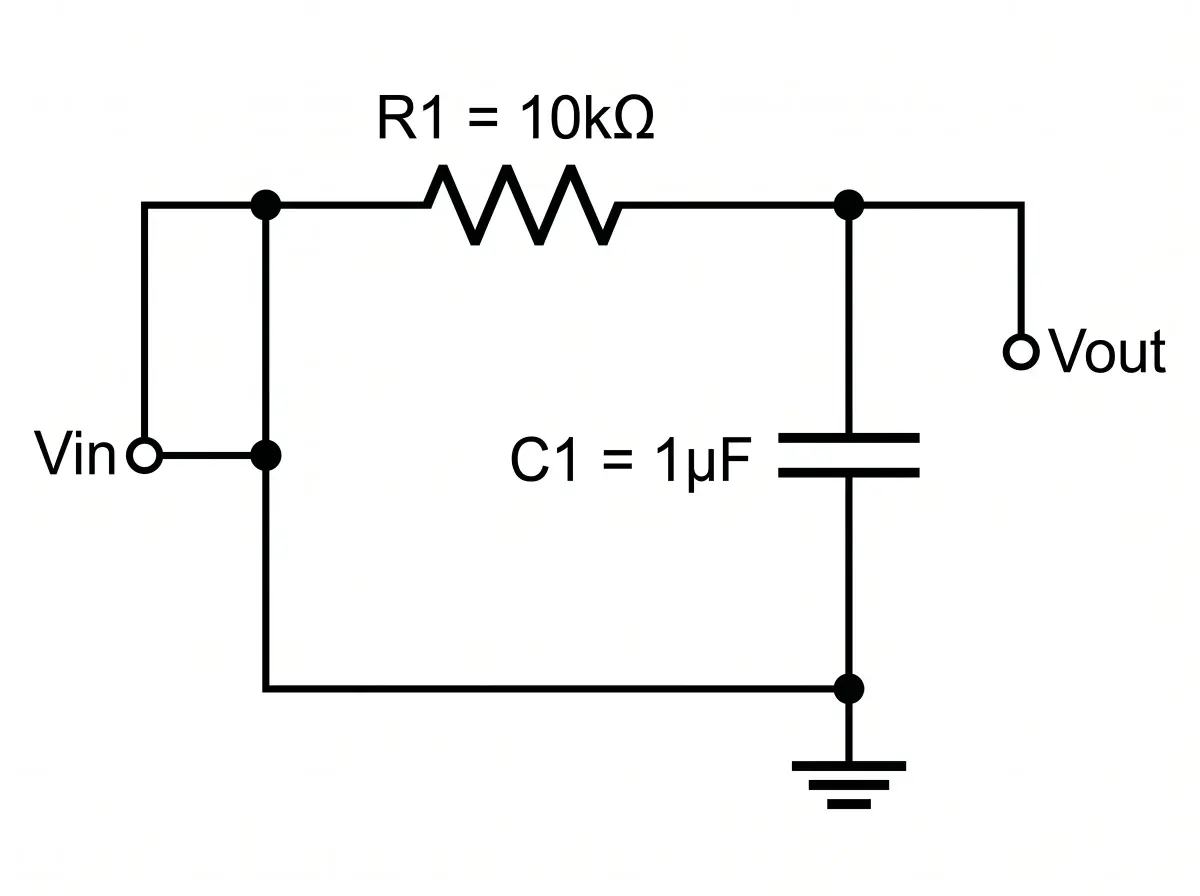
RC Low-Pass Filter

RC Low-Pass Filter

10 kohm resistor and 1 uF capacitor filter

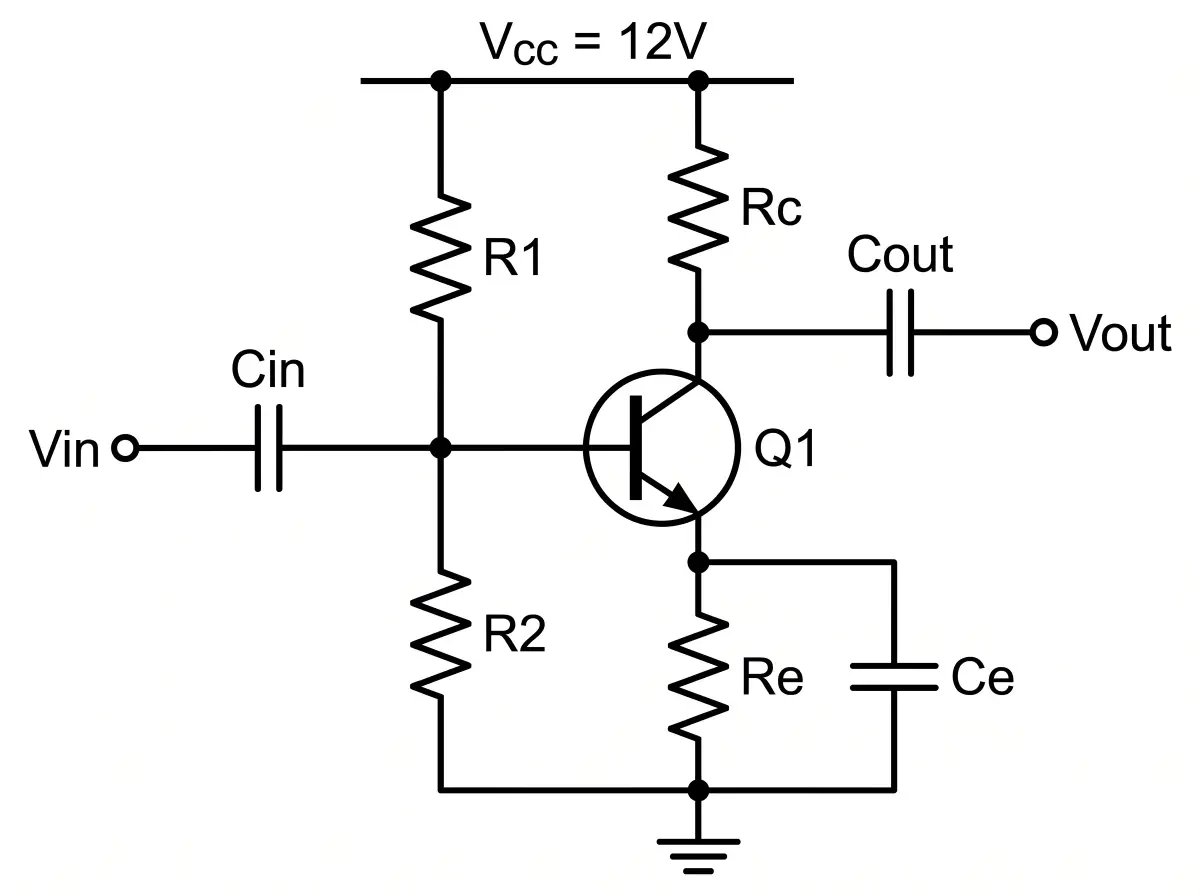
NPN Common-Emitter Amplifier

NPN Common-Emitter Amplifier

Transistor amplifier with bias network

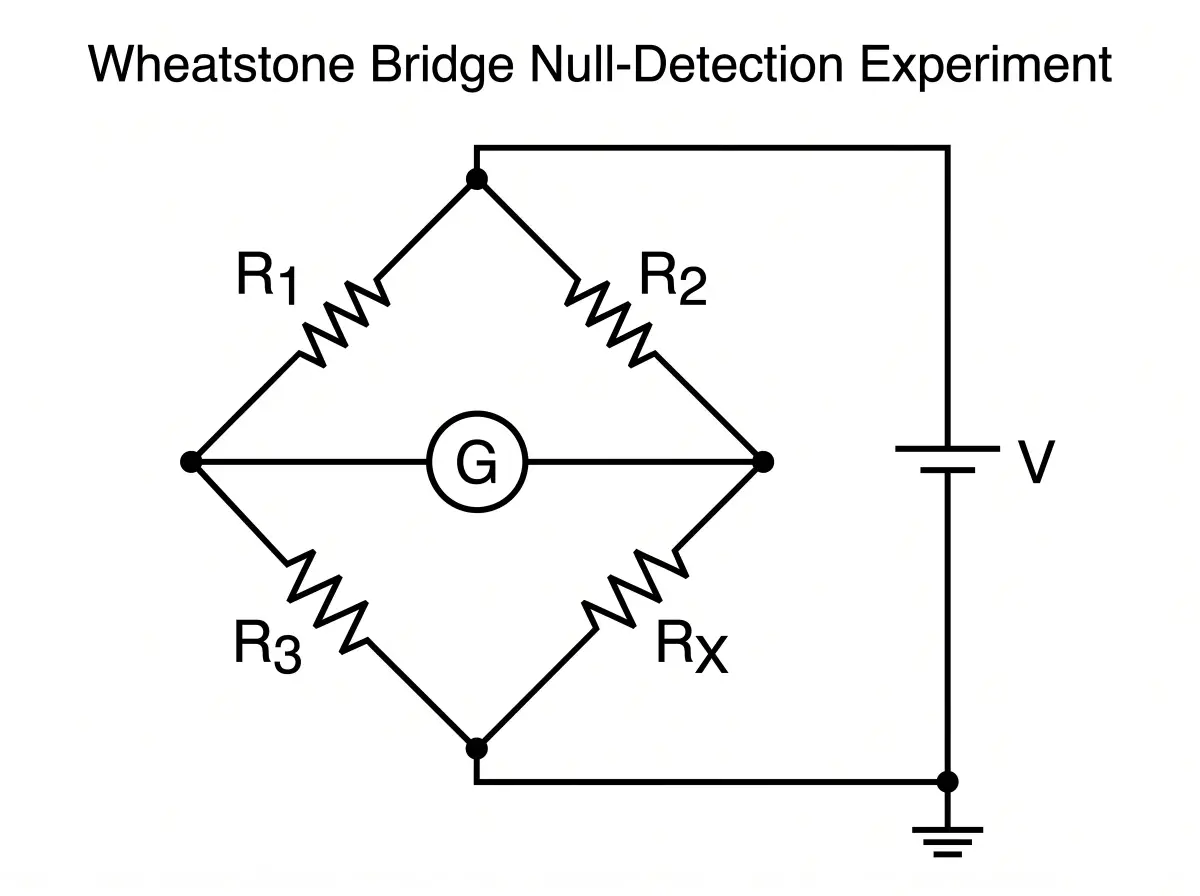
Wheatstone Bridge

Wheatstone Bridge

Four resistors, galvanometer, DC source

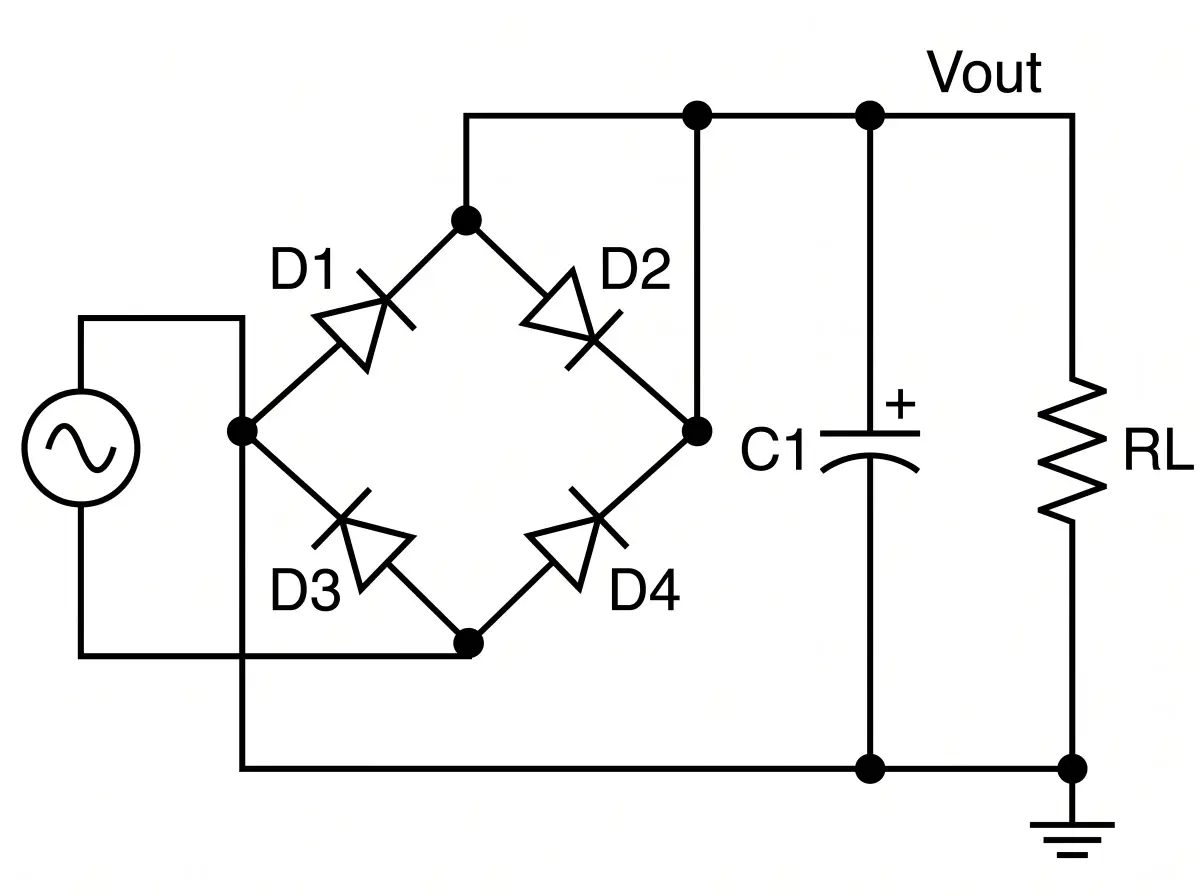
Bridge Rectifier

Bridge Rectifier

Four diodes, smoothing capacitor, load

What Makes This Circuit Diagram Maker Different

Built for Physics Class, Not PCB Design

Most circuit tools are built for engineers designing real hardware — they require symbol libraries, netlists, and design-rule checks. This circuit diagram maker is built for everyday schematic work: lab reports, problem sets, lectures, and build logs. A circuit diagram generator that reads your description and draws what a teacher or reader expects to see.

Symbols

IEEE Standard Symbols, Not Clip Art

Textbook-Recognized Conventions

Resistors use the zig-zag symbol. Capacitors use parallel plates. Diodes point from anode to cathode. Ground is a proper earth symbol. Every glyph matches what your physics textbook, circuits course, and IEEE publications use — no cartoon batteries or clip-art bulbs.

Wiring

Clean Orthogonal Wiring

No Diagonal Spaghetti

Wires travel horizontally and vertically with clean right-angle turns. Junction dots appear at real T-connections. The schematic is drawn by an image model, so it can occasionally misdraw a wire, a symbol, or a value — check every connection and label against your circuit before you hand it in.

Labels

Component References and Values

R1 = 220 ohm, C1 = 10 uF

Each component gets a reference designator (R1, R2, C1, L1, Q1, D1) plus the value you describe. Polarities are marked on electrolytics and diodes. Pin numbers appear on op-amps and transistors when the circuit needs them — no unlabeled boxes.

Circuits

DC, AC, Digital, and Analog

From Ohm's Law to Op-Amps

Voltage dividers, RC and RL filters, bridge rectifiers, Wheatstone bridges, transistor amplifiers, logic-gate networks, and op-amp configurations. If it is a standard circuit in a physics or electronics textbook, the circuit diagram maker draws it in the convention your course uses.

Formats

PNG for Docs, SVG for Textbooks

Submission-Ready Output

Free downloads are 2K PNG with a watermark, ready for Google Docs, Word, and PowerPoint. Paid plans add the clean original, 4K PNG, and SVG for LaTeX lab reports, textbook revisions, and technical blog posts. PNG files are saved at 300 DPI for printed lab handouts. The SVG is traced from the generated image: it scales and you can recolor shapes, but the labels are not editable text.

Iteration

Fast Enough for a Problem Set

Re-Generate in About a Minute

Need ten variations of the same circuit with different resistor values for a problem bank? Describe each one, re-generate, and drop the results into the worksheet. Faster than placing zig-zags in PowerPoint and easier than copying fuzzy images from YouTube.

Start free, upgrade when the problem sets pile up

Every account gets free credits on sign-up. Need more schematics for a semester of circuits problem sets, a full textbook chapter, or a hardware project series? Pick a plan that fits your workload.

Student or teacher? Apply for an education discount

Apply now

How Students and Makers Use the Circuit Diagram Maker

Feedback from physics majors, EE undergrads, circuits instructors, and Arduino hobbyists who stopped wrestling with schematic CAD for simple teaching figures and started using this circuit diagram generator for homework, lectures, and build logs.

Da

Daniel Okonkwo

EE Undergraduate, Georgia Tech

Circuits homework used to eat a full evening just formatting the schematic in Word. Now I describe the circuit, generate the schematic, and paste it into the report. My TA actually left a note saying my figures were the cleanest in the section.

Dr

Dr. Alison Pritchard

Physics Lecturer, University of Manchester

I teach intro circuits every spring. Instead of screenshotting diagrams from old PowerPoints, I generated twenty schematics for my problem set in one sitting — voltage dividers, RC filters, transistor amplifiers, all with matching symbol style.

Ra

Raj Patel

Maker, Open-Source Hardware Blog

My Arduino sensor shield was documented with a messy Fritzing breadboard shot. Ran the circuit diagram maker on the same description and got a real schematic for the blog post. Readers actually traced the circuit and built it.

Circuit Diagram Maker — Common Questions

FAQ

Yes. Describe the components, their values, and how they connect — for example, 'a 9V battery in series with a 220 ohm resistor and an LED, with ground on the return path.' The circuit diagram maker places the voltage source, routes the wires, and labels each component with its reference designator and value in about a minute. Check the wiring and labels before you use it.

Standard IEEE symbols — zig-zag for resistors, parallel plates for capacitors, coil for inductors, directional triangle for diodes, circle-with-B for transistor base, standard op-amp triangle, and the earth symbol for ground. These are the symbols used in physics textbooks, circuit courses, and IEEE publications.

Both. Describe a DC source as '9V battery' or '12V DC supply' and an AC source as 'AC 120V 60Hz' or 'sinusoidal AC source.' The circuit diagram maker draws the correct source symbol (battery for DC, sine-wave circle for AC) and keeps the rest of the schematic consistent.

Yes. Describe 'NPN common-emitter amplifier with voltage divider bias' or 'inverting op-amp with 10k input and 100k feedback resistor' or 'AND-OR-NOT logic gate circuit.' The circuit diagram generator draws the correct symbol for each active component, adds the supporting passive parts, and labels the pins where the circuit requires them.

PNG files are saved at 300 DPI, print-ready for lab reports and textbooks. Free downloads are 2K PNG with a watermark. Paid plans (subscription or a one-time credit pack) unlock the clean original, 4K PNG, and SVG. The SVG is traced from the generated image, so it scales in LaTeX, Overleaf, Figma, or Inkscape and you can recolor shapes, but its labels are not editable text.

Fritzing, EagleCAD, and KiCad are built for designing real hardware — they manage symbol libraries, netlists, PCB layouts, and design-rule checks. This circuit diagram maker is built for teaching, problem sets, lab reports, and documentation — when you need a clean schematic that reads well, not a file you can send to a fab house.

Yes. Output follows the standard IEEE symbol conventions that physics and EE courses use, and paid plans include a commercial use license for published textbooks, lecture materials, and technical articles. The SVG export (paid) drops into LaTeX documents with figure captions.

No. The circuit diagram maker draws traditional schematics — the abstract view with standard symbols and orthogonal wiring that textbooks and courses use. Breadboard photos are great for getting started, but a clean schematic is what instructors, readers, and collaborators actually need to understand the circuit.

Yes, two ways. Refine your description and re-generate the schematic (about a minute per run), or open it in Studio, mark the spots to change on the image, and describe the fix in one sentence. Both use credits like a normal generation, and every version is kept. Studio redraws the whole image, so check parts you did not mark. The SVG export is traced, so its labels cannot be edited as text.

Yes. Mention the value — '220 ohm', '10 microfarad', '9V', '1 millihenry' — and the circuit diagram maker places the value next to the reference designator (R1 = 220 ohm). You can also leave values out for blank worksheet versions that students fill in themselves.

Yes. The circuit diagram maker runs in your browser — no install, no plugin. Your first schematic can be generated free (2K PNG with a watermark). Signing up adds starter credits and daily check-in credits; free credits expire after 30 days. Watermark-free files, 4K, and SVG are paid: monthly or yearly plans from $14.90/month, or one-time credit packs from $19.90 that never renew.

High school physics circuit units, AP Physics, university intro circuits, analog electronics, digital electronics, EE labs, and hobbyist Arduino or Raspberry Pi documentation. If your course draws circuits using IEEE symbols, the circuit diagram maker produces figures that fit the conventions of that course.

Try the Circuit Diagram Maker, Free

Describe your components, values, and connections. The circuit diagram maker returns a clean IEEE schematic in about a minute — no CAD software, no symbol library, no breadboard photography.

Unlock all tools

One subscription unlocks every Vizcept AI diagram tool — from free body diagrams and syntax trees to biology diagrams and more.

View pricing

Other tools you might like

Explore more AI diagram tools across subjects — from the same discipline and beyond.

Free Body Diagram Maker

Free Body Diagram Maker

Turn physics problems into clean free body diagrams with forces, angles, and labels drawn for you.

Open tool
AI Diagram MakerPopular

AI Diagram Maker

Describe any topic in plain English and get a publication-ready scientific diagram in seconds.

Open tool
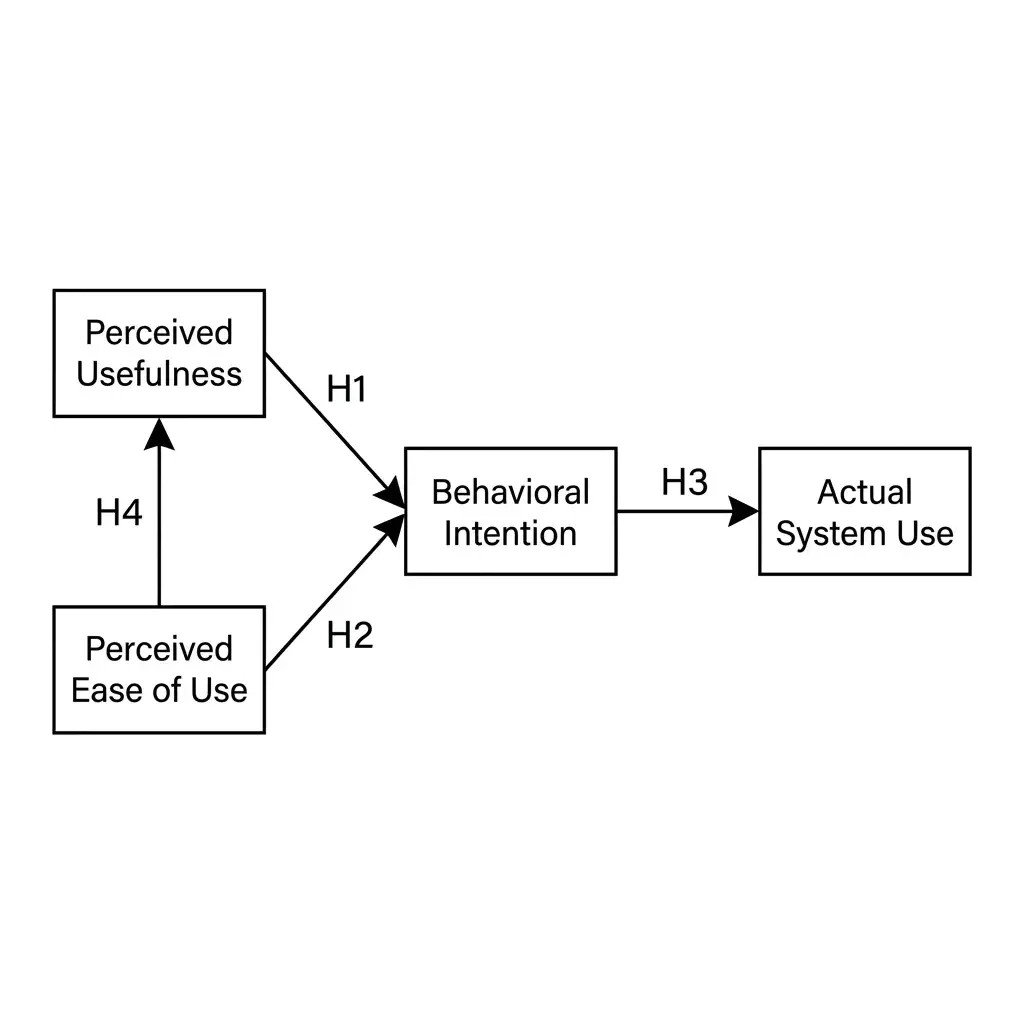
Conceptual Framework GeneratorNew

Conceptual Framework Generator

Turn variables, mediators, moderators, and hypotheses into a labeled conceptual framework for thesis and journal research.

Open tool
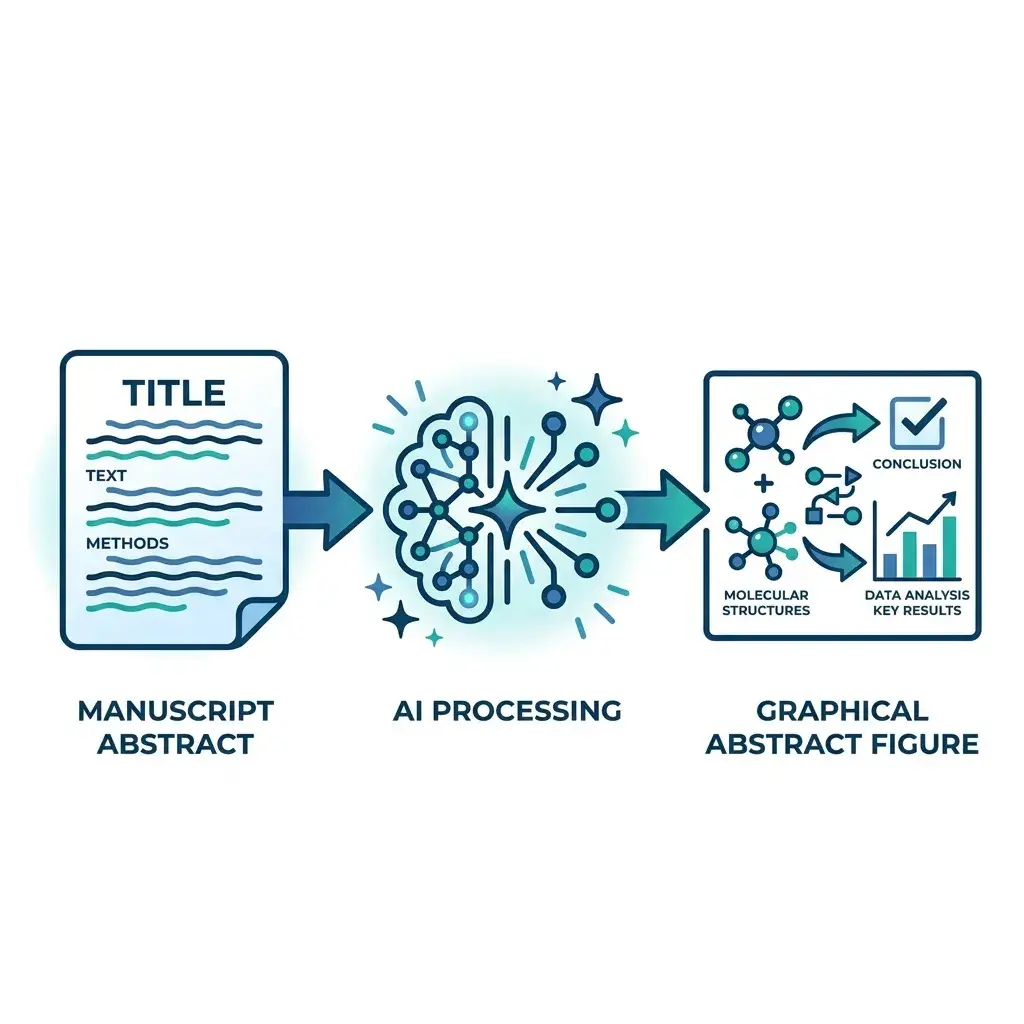
Graphical Abstract MakerNew

Graphical Abstract Maker

Paste your manuscript abstract — get a journal-ready graphical abstract in Elsevier, Cell Press, Wiley, or ACS dimensions in under a minute.

Open tool
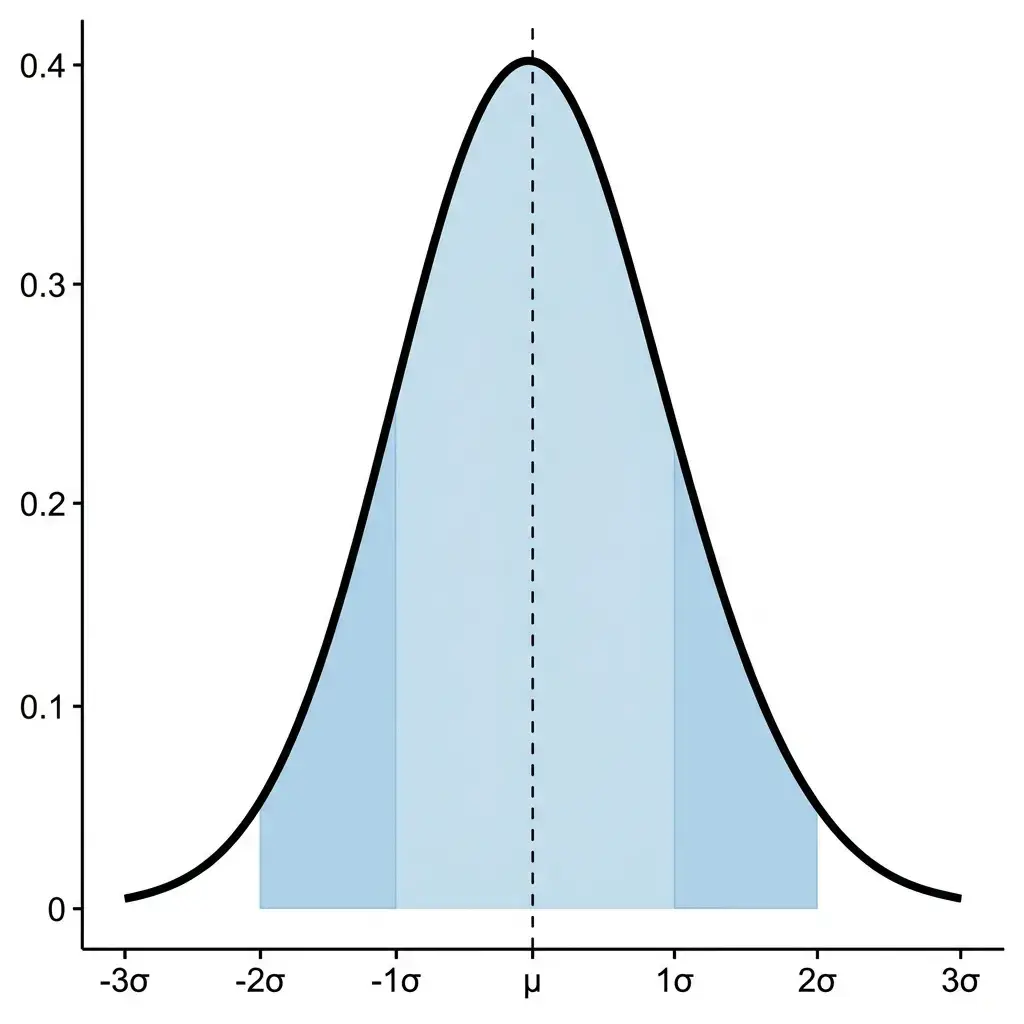
Bell Curve MakerNew

Bell Curve Maker

Type a mean and standard deviation, paste data, or set up a confidence interval or hypothesis test, and get an exact normal curve with the shaded area, its probability and the steps.

Open tool
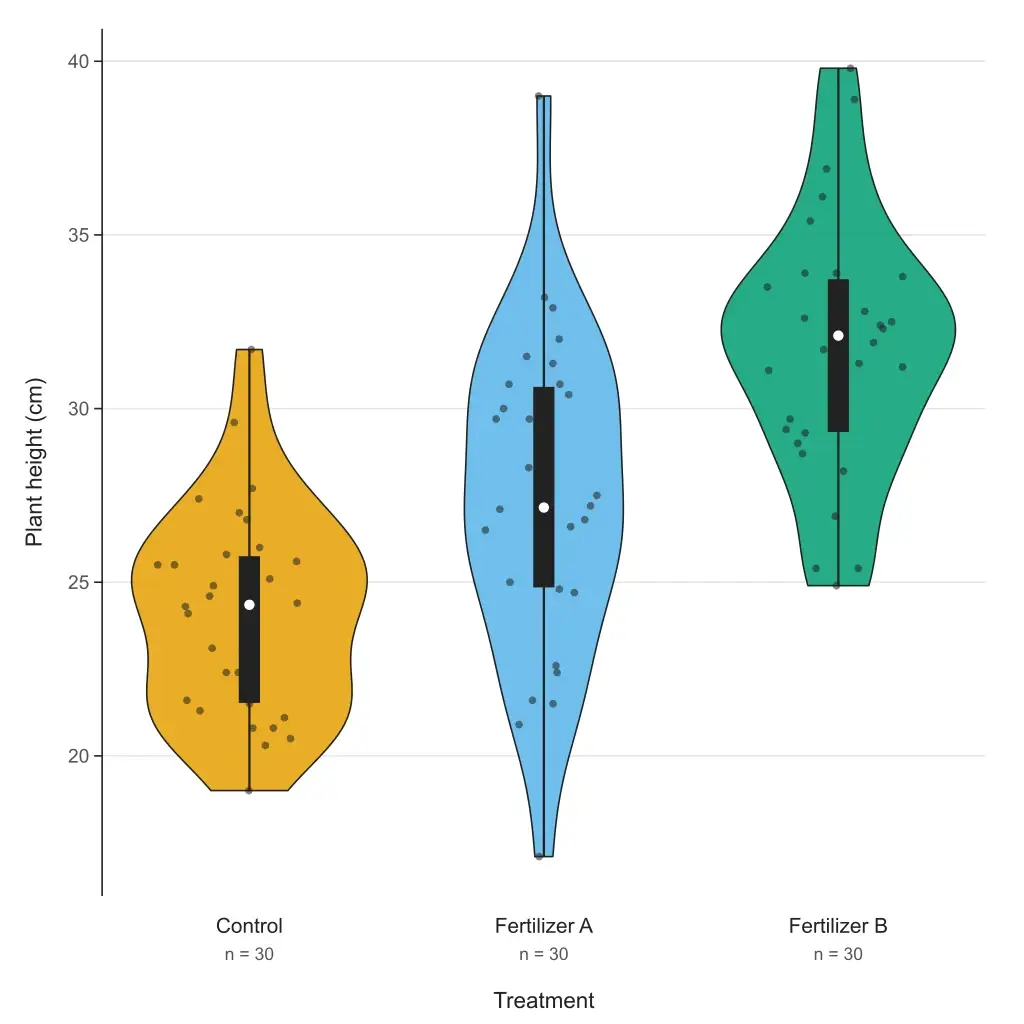
Violin Plot MakerNew

Violin Plot Maker

Paste your data and get a violin plot in your browser — grouped or single, box or quartiles inside, adjustable bandwidth, editable SVG and 300 DPI PNG. Free to paste and download; or describe your data and let AI fill it in.

Open tool
Box Plot MakerNew

Box Plot Maker

Paste your data or a five-number summary and get a box and whisker plot with quartiles, outliers and labels. Choose the TI-84, Excel or R quartile method; export editable SVG or 300 DPI PNG. Free to paste and download.

Open tool
Scatter Plot MakerNew

Scatter Plot Maker

Paste two columns from Excel or a CSV and get a scatter plot with the line of best fit, its equation, r and R². Groups, point labels and step-by-step working; export editable SVG or 300 DPI PNG. Free to paste and download.

Open tool
Featured on Findly.tools