
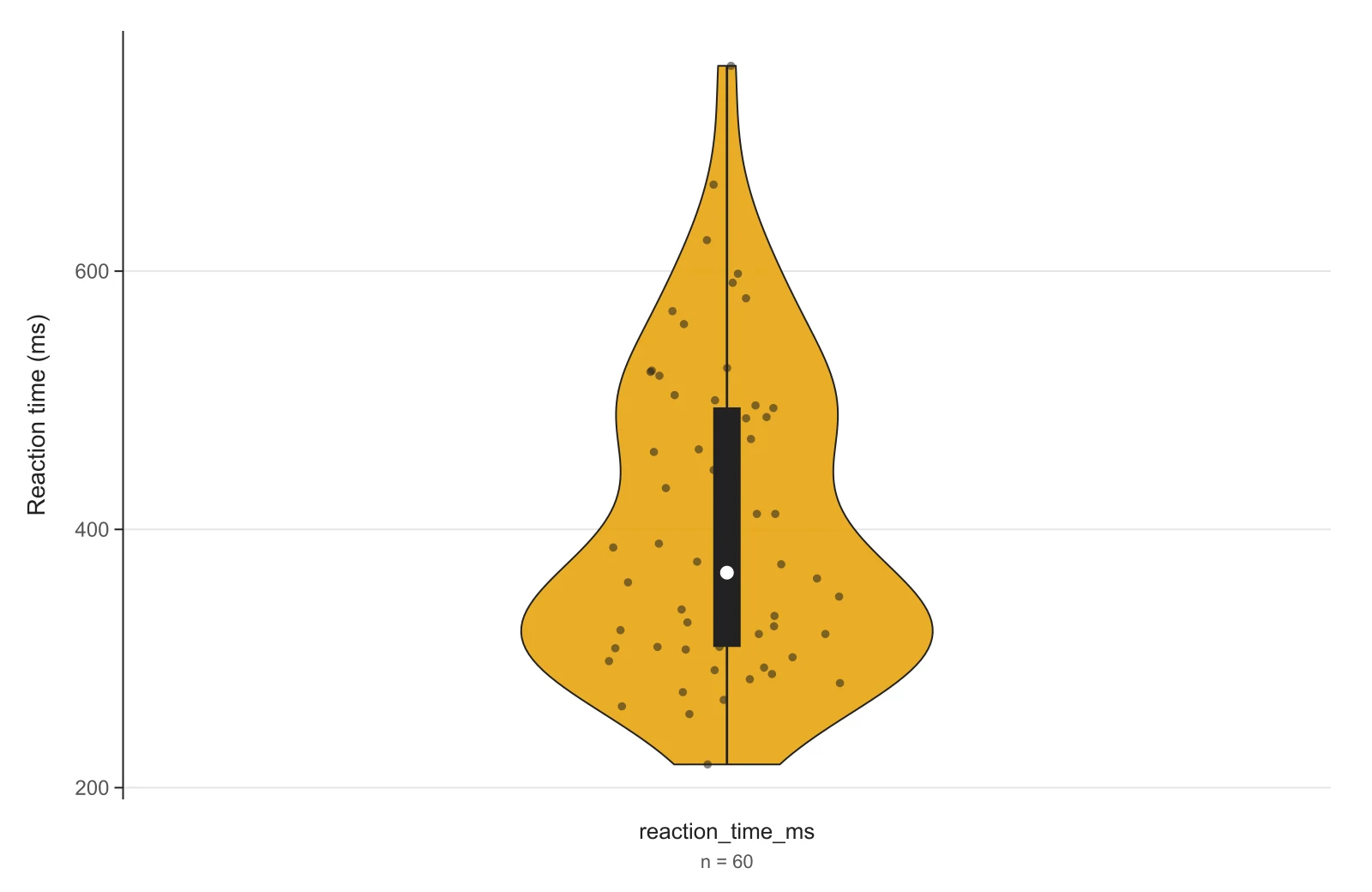
Single violin plot with data points
60 reaction times in one column. The long right tail is typical of response-time data and is exactly what a mean ± SD bar would hide.
Upload a CSV or paste columns from Excel and get a violin plot for each group, ready for slides or a paper. Have numbers in a PDF or notes? Paste them in and let AI read them.
3 groups · 90 values · read as one column per group
Lower follows your data more closely; higher gives a smoother outline.
| Group | n | Mean | SD | Median | Q1 – Q3 | Bandwidth |
|---|---|---|---|---|---|---|
| Control | 30 | 24.13 | 2.967 | 24.35 | 21.52 – 25.75 | 1.352 |
| Fertilizer A | 30 | 27.43 | 4.527 | 27.15 | 24.85 – 30.63 | 1.965 |
| Fertilizer B | 30 | 31.71 | 3.676 | 32.1 | 29.32 – 33.72 | 1.497 |
The plot is computed on this page as you type. When you download it, the data and settings are saved to your history so you can reopen and edit the plot later.
Each figure below is what this violin plot maker draws from the sample data shown in the tool, unedited. The datasets are simulated for demonstration. Open one in the tool to see its exact numbers and change any setting.
60 reaction times in one column. The long right tail is typical of response-time data and is exactly what a mean ± SD bar would hide.
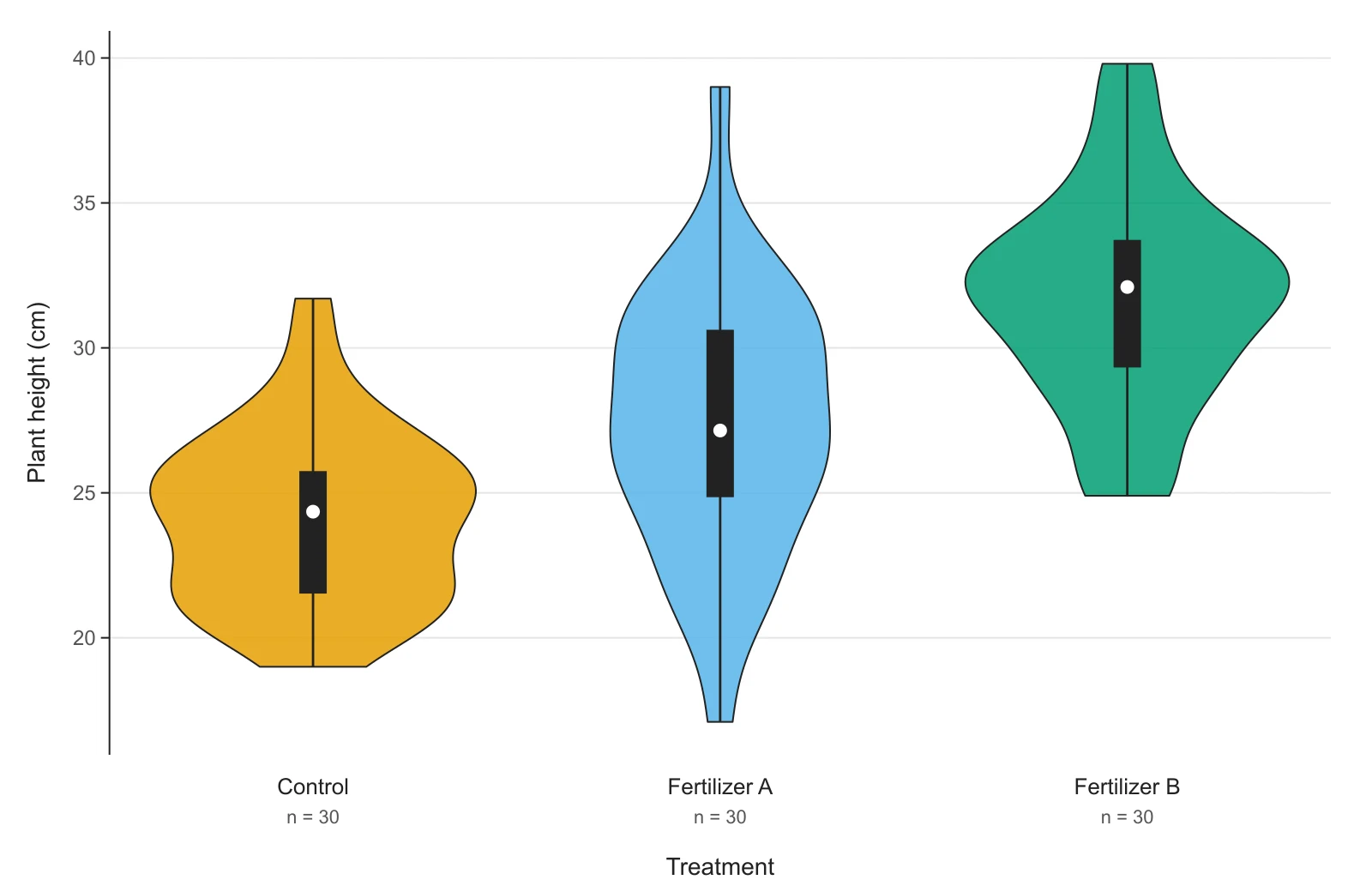
Plant height under three treatments, one column per group. The inner mini box shows the median (white dot) and the interquartile range.
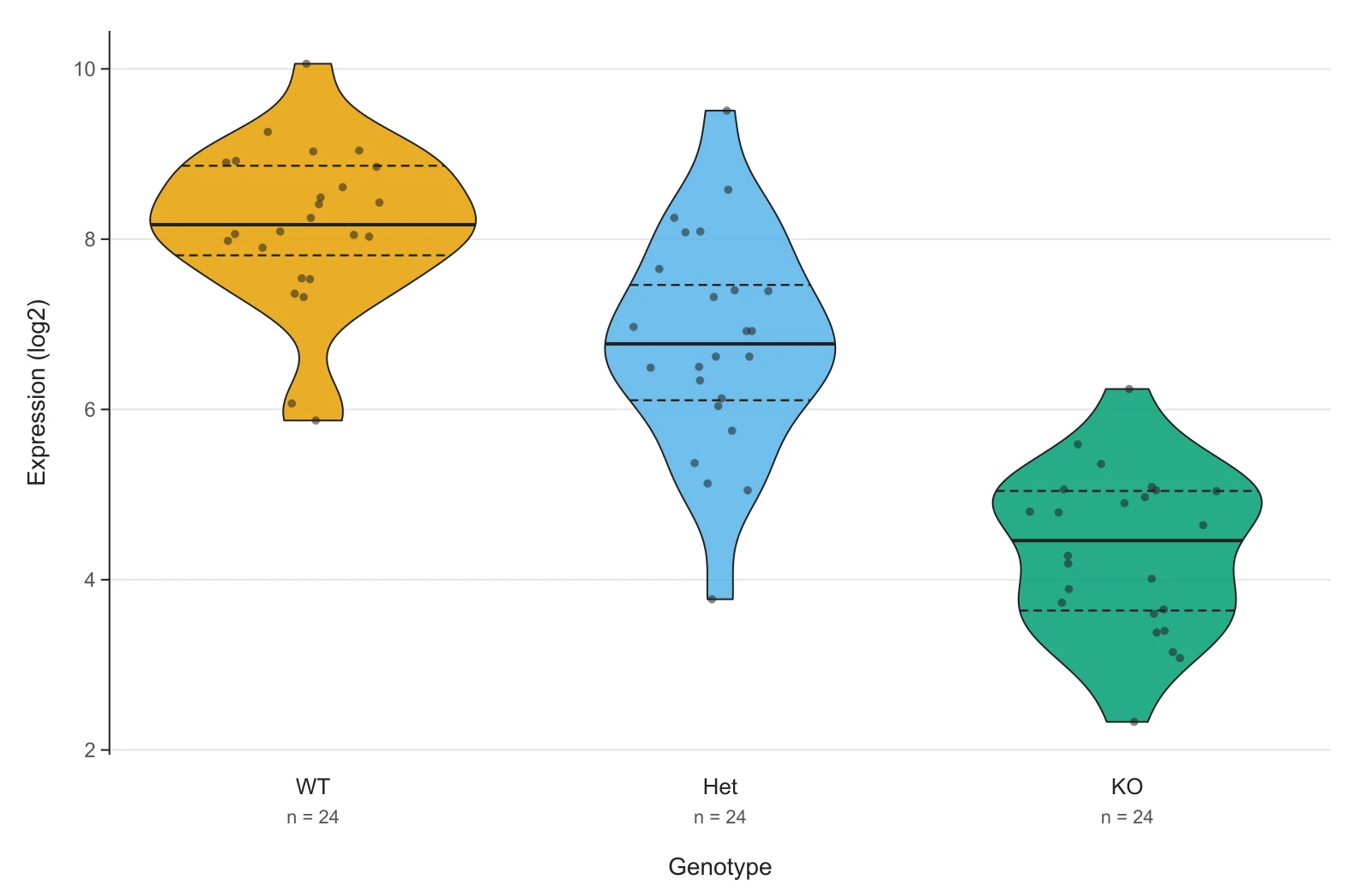
Expression values in two columns, genotype and value, the tidy layout ggplot2 and seaborn use. Dashed lines mark the quartiles, the solid line the median.
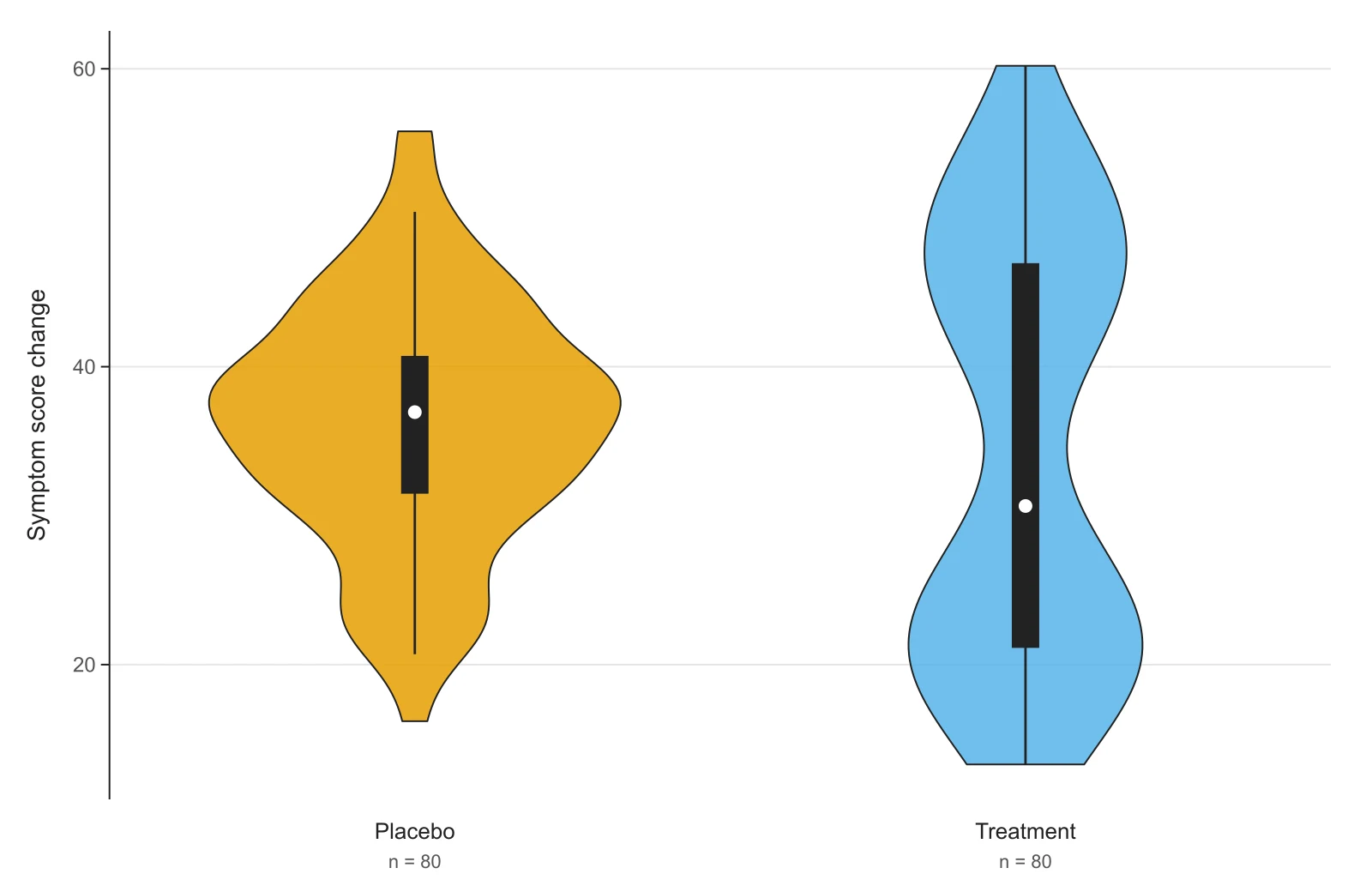
A treatment group made of responders and non-responders. The violin shows two peaks; a box plot of the same numbers shows one wide box.
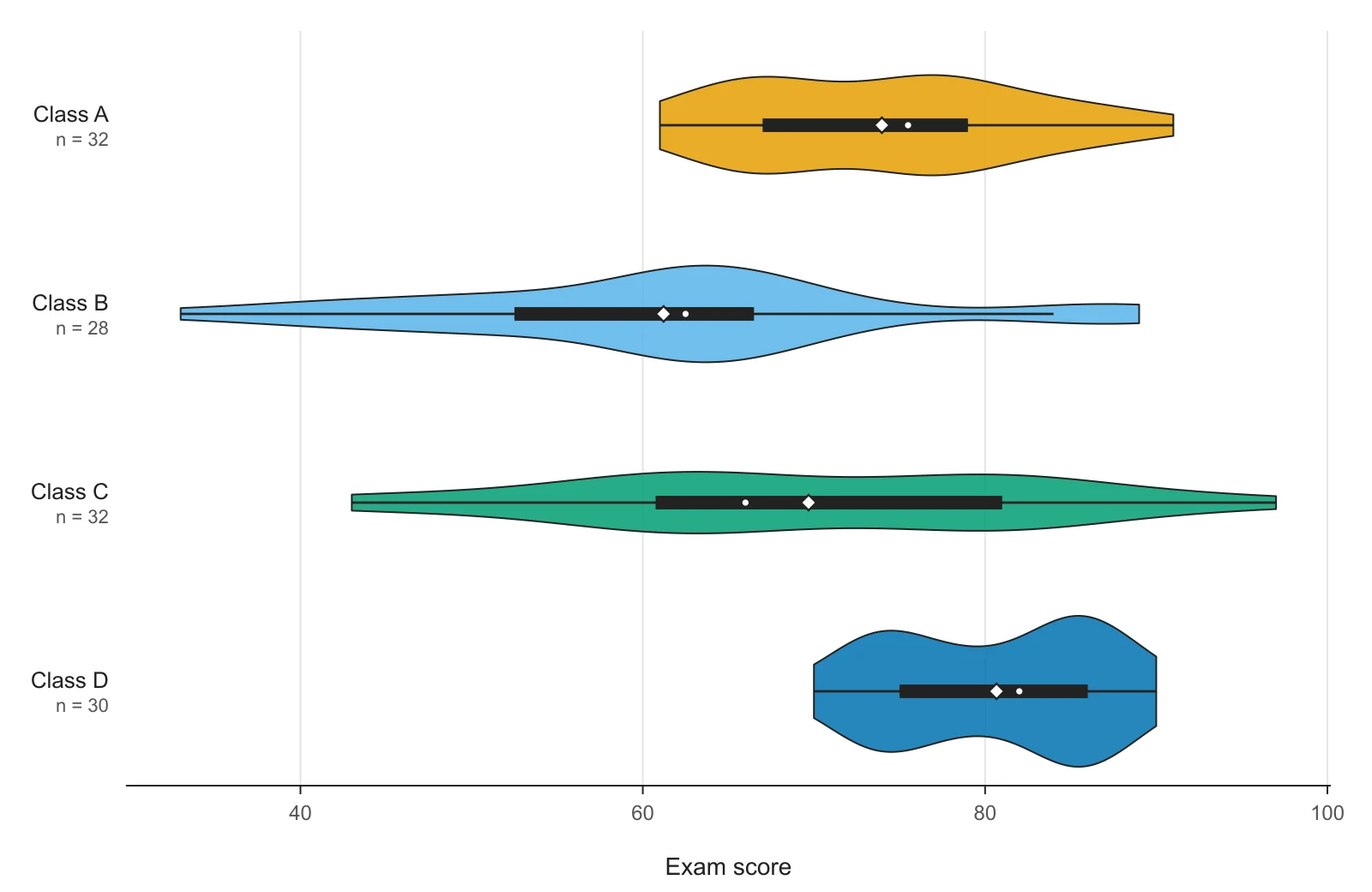
Exam scores for four classes, drawn sideways so long group names stay readable. The diamond marks each class mean.
A violin plot shows the distribution of a numeric variable for one or more groups. Each group gets a mirrored kernel density curve: the outline is wide where many values fall and narrow where few do, which gives the shape its name. Most violin plots also carry a small box plot or quartile lines inside, so the median and interquartile range stay readable.
The chart was introduced by Hintze and Nelson in The American Statistician (1998) as a box plot combined with a density trace. It is common in biology, neuroscience, psychology and machine learning papers, anywhere a group's spread or shape matters as much as its average. People also call it a violin chart or violin graph; they are the same thing.
Three steps, no software to install
This violin plot maker runs in your browser. The outline updates as you type, so you can try settings and see the effect straight away.
Copy your columns from Excel, Google Sheets, SPSS or R and paste them into the data box, or open a CSV, TSV or TXT file. Put one group per column with the group name in the first row, or use two columns: group and value. Blank cells are skipped. No table at hand? Switch to Describe with AI and paste numbers from a paper or PDF, or describe the groups in words.
Pick what goes inside each violin (a mini box, quartile lines, the median or nothing), add the raw data points or the mean, and adjust the smoothing. Type your axis labels and an optional title. Choose Okabe-Ito or Paul Tol colors, which stay distinguishable for colorblind readers, or grayscale for print.
Download a 300 DPI PNG for Word, Google Docs or slides, or an SVG whose text stays editable in Illustrator, Inkscape or PowerPoint. Copy the summary table (n, mean, SD, median, quartiles, bandwidth) to report alongside the figure.
A box plot draws five numbers: the median, the two quartiles and the whisker ends. A violin plot draws the whole distribution as a mirrored density curve, usually with a small box plot inside. Below is the same simulated dataset drawn both ways by this tool.
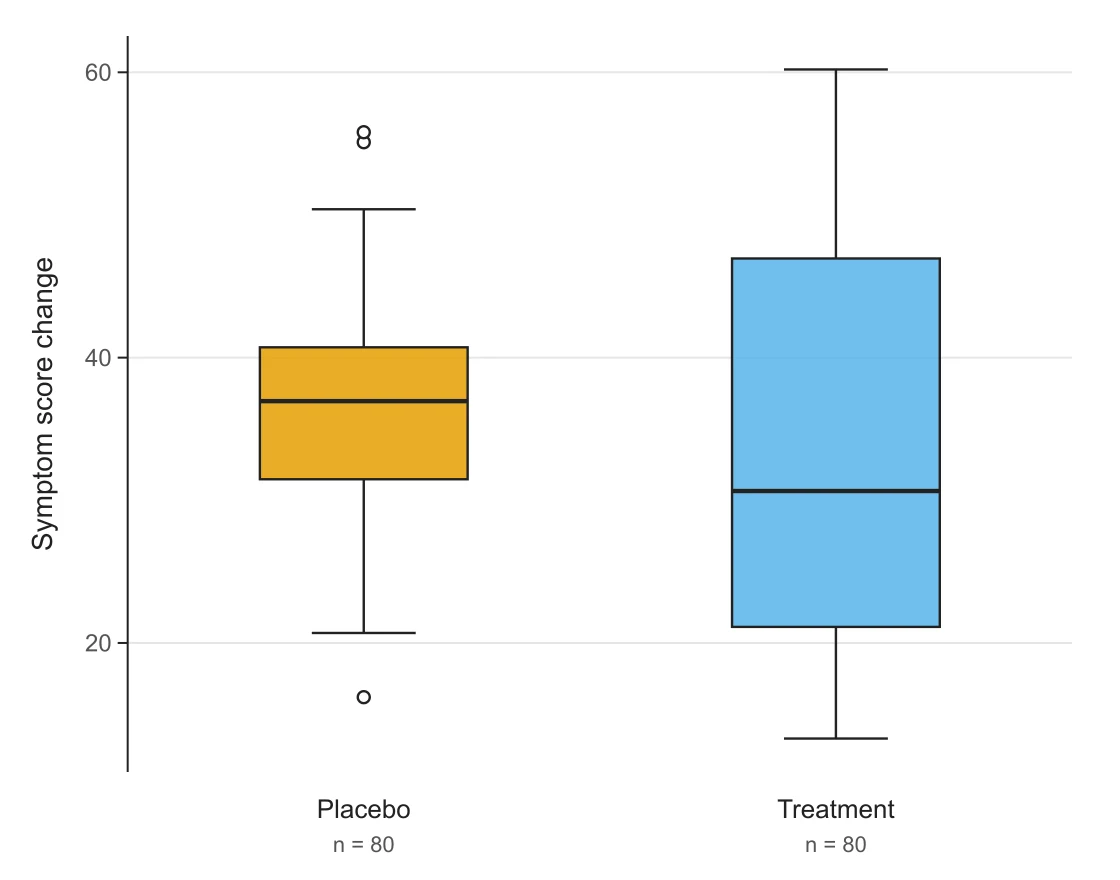
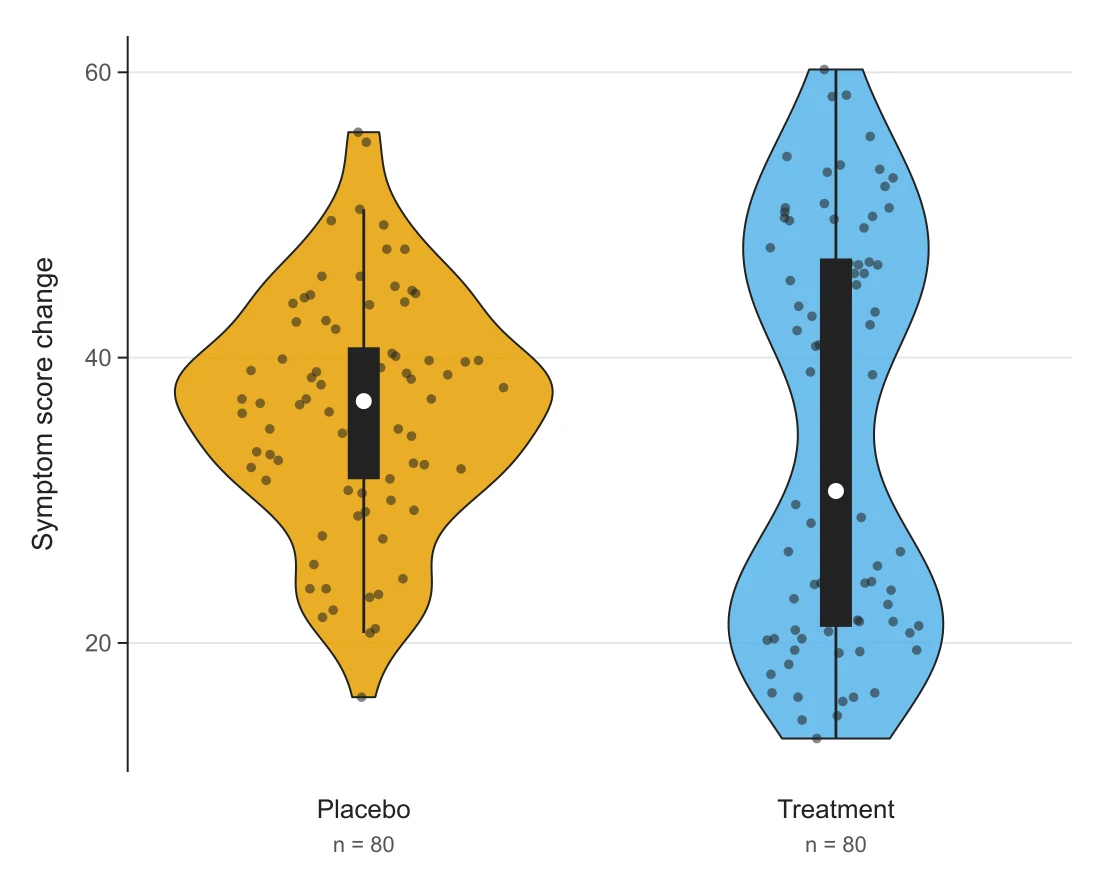
Use a violin plot when the shape of the distribution matters: two peaks, a long tail, or values clumped at a floor or ceiling. Use a box plot when you have many groups to compare side by side, when readers in your field expect it, or when groups are small (under about 20 values), because the violin outline of a small sample is mostly smoothing.
You rarely have to choose. The default here, a violin with a mini box inside, shows both the shape and the five-number summary, and switching Plot type to Box plot redraws the same data as a classic Tukey box plot with outliers.
Read each violin from the value axis outwards:
QUARTILE.INC; SPSS and Minitab use a different default, so their quartiles can differ slightly for small groups.Two cautions. The width is a smoothed estimate, so with a small n the outline reflects the smoothing more than the data; turn on the data points to check. And with the default equal area scaling every violin has the same area, so a narrow violin is not a smaller group. Switch Violin width to By count if group sizes should show.
Raw values, one observation per cell. Not means, not counts per bin. Two layouts work:
| Layout | Looks like | Use when |
|---|---|---|
| One column per group (wide) | Control, Drug A, Drug B in row 1, values below | You copied columns out of Excel or Prism |
| Group + value (long) | group, value per row, e.g. KO, 4.21 | Data exported from R, Python, SPSS or a database |
Details the tool handles for you:
3,14) are read as European CSV.sample_id, group, value), the text column with the fewest distinct values is used as the group, and the last numeric column as the value.NA or n/a are skipped and counted below the box, so you can see if something was dropped.Groups appear in the order they first appear in your data. To reorder, move the columns or rows.
The outline is a kernel density estimate, and its shape depends on one setting: the bandwidth, i.e. how far each data point is smeared out. A small bandwidth gives a bumpy outline that follows every cluster; a large one gives a smooth bell that can hide real peaks.
| Tool | Default bandwidth | Tails |
|---|---|---|
| This violin plot maker | Silverman's rule (R bw.nrd0) | Trimmed at min and max |
R ggplot2 geom_violin() | Silverman's rule (bw.nrd0) | Trimmed (trim = TRUE) |
Python seaborn violinplot() | Scott's rule via SciPy | Extended 2 bandwidths past the data (cut = 2) |
So with default settings this tool matches ggplot2, and a seaborn violin of the same data will look slightly smoother and longer. To get closer to seaborn, choose Scott and turn off Trim tails. The exact bandwidth for each group is listed in the summary table under the plot: report it in your figure legend or methods if a reviewer may want to reproduce the figure, and do not tune the smoothing until a peak you were hoping for appears.
ggplot(df, aes(group, value)) + geom_violin() + geom_boxplot(width = 0.1). Same default bandwidth as this tool.seaborn.violinplot(data=df, x="group", y="value"), or plotly.express.violin for an interactive version.If you already work in R or Python, code is the reproducible choice. This page is for when you need the figure now: for a thesis chapter, a lab meeting slide or a quick check of your data's shape, without installing anything or writing code. For the colors, see the scientific color palette generator; for a bell-shaped reference curve, the bell curve maker.
Reviewers check the same handful of things:
n = … under each group by default.Plant height (cm), not Height.A sample legend you can adapt: “Violin plots show kernel density estimates (Gaussian kernel, Silverman's bandwidth) of plant height per treatment; inner boxes show the median (white dot) and interquartile range; n = 30 per group.”
Built for figures you hand in
Every plot is computed on this page from numbers. AI only reads your text into numbers when you ask it to; nothing is redrawn by an image model, so every quartile and every outline comes from the values in the data box.
Pick what sits inside
Show a mini box plot, dashed quartile lines, the median alone, or nothing, and overlay jittered raw data points that stay inside the violin outline.
Silverman or Scott
Choose the bandwidth rule and a multiplier from 0.3× to 2.5×. The bandwidth used for each group is listed under the plot so you can report it.
Wide or long data
One group or many, vertical or horizontal, equal-area, equal-width or count-scaled violins. Long group names rotate automatically so they never overlap.
Same data, one click
Redraw the same data as a Tukey box plot with whiskers at 1.5 × IQR and outliers as open circles, for figures where a box plot is the convention.
Word, LaTeX, posters
The SVG keeps real text, so you can change a label in Illustrator, Inkscape or PowerPoint. The PNG carries 300 DPI and sits at the right size in Word.
Reopen any plot you downloaded
The plot is computed in your browser and redraws instantly as you edit. Each plot you download, and each Describe with AI run, is saved with its data and settings, so you can reopen it from My Diagrams and change a label without starting over.
FAQ
Paste your columns, check the shape, download an editable SVG or a 300 DPI PNG. Free, and drawn in your browser.
Explore more AI diagram tools across subjects — from the same discipline and beyond.
 New
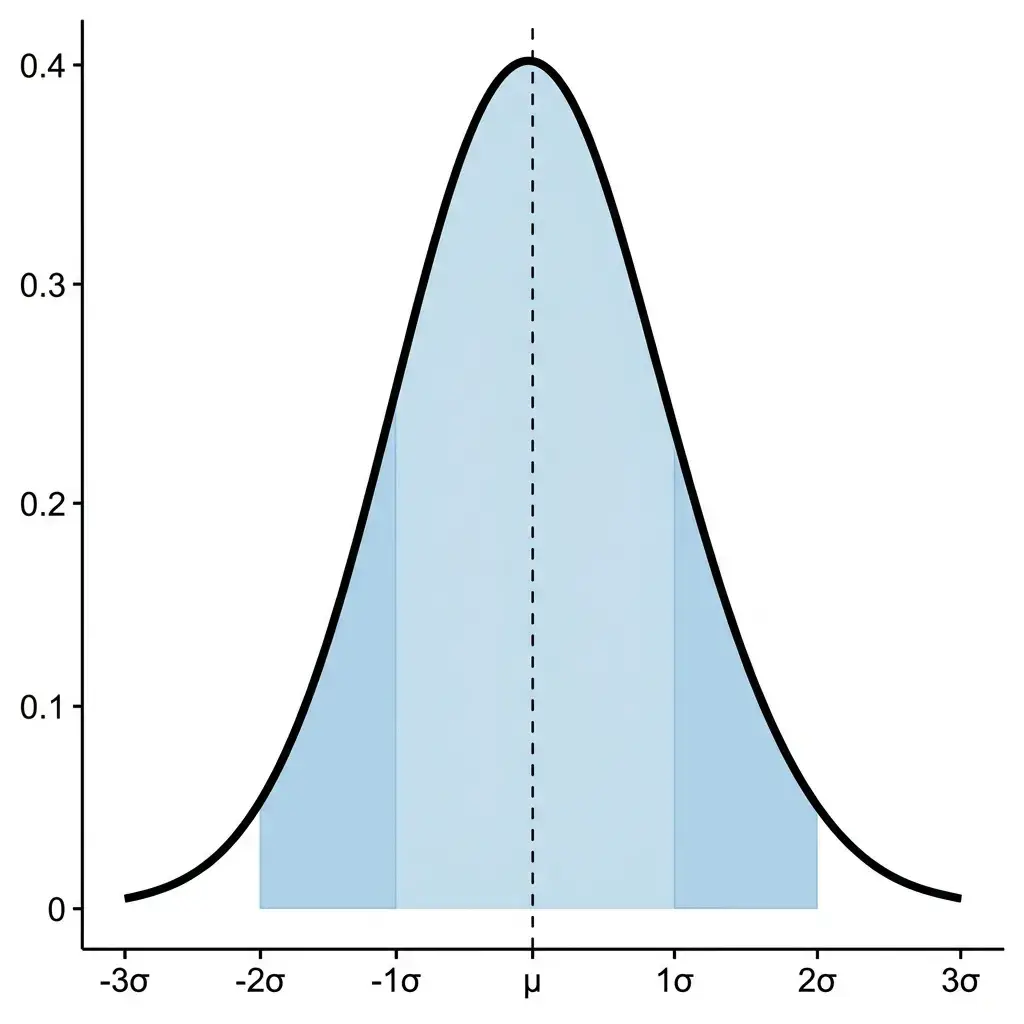
NewDescribe your distribution parameters in plain language and get a publication-ready normal distribution graph with shading, labels, and annotations.
 New
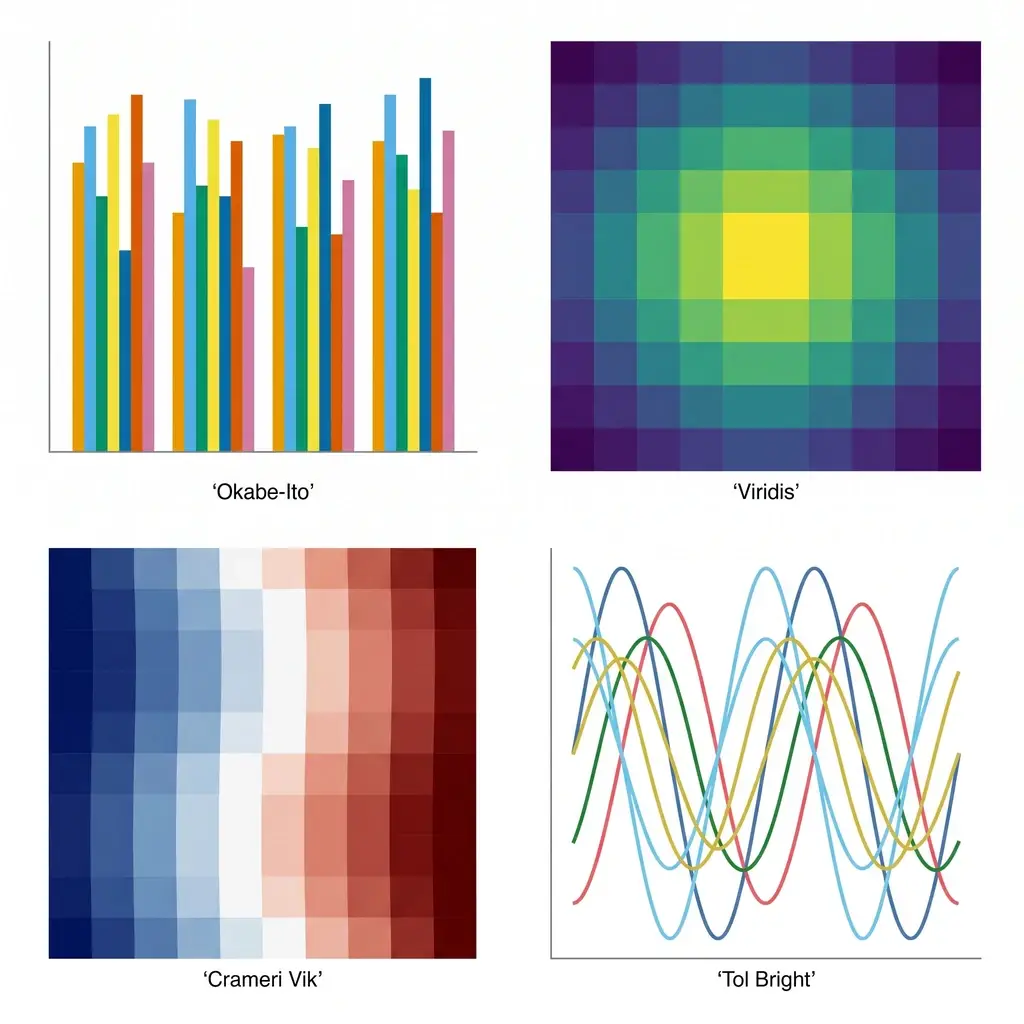
NewGenerate colorblind-safe color palettes for scientific figures — Okabe-Ito, Viridis, Cividis, Crameri Vik, and more — with one-click hex, Python, R, and CSS for journal-ready charts.
 New
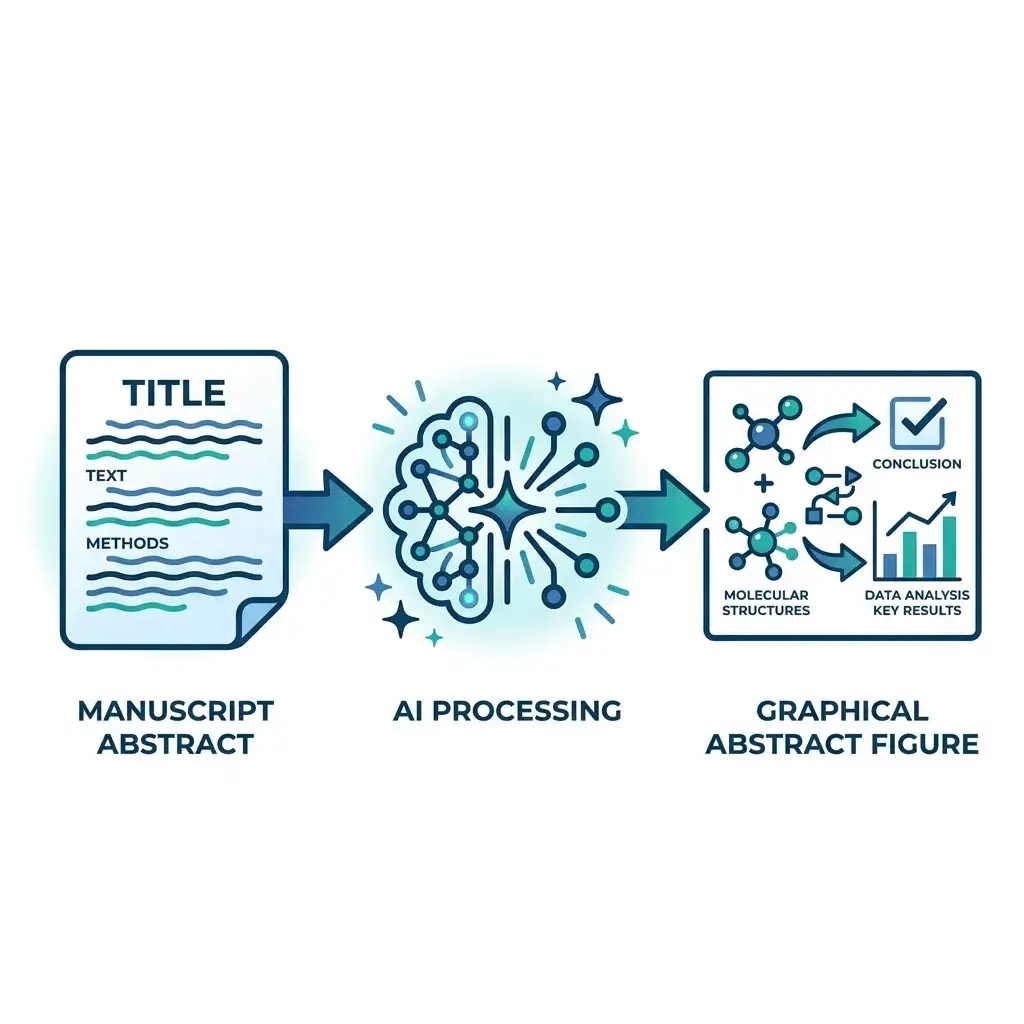
NewPaste your manuscript abstract — get a journal-ready graphical abstract in Elsevier, Cell Press, Wiley, or ACS dimensions in under a minute.
 New
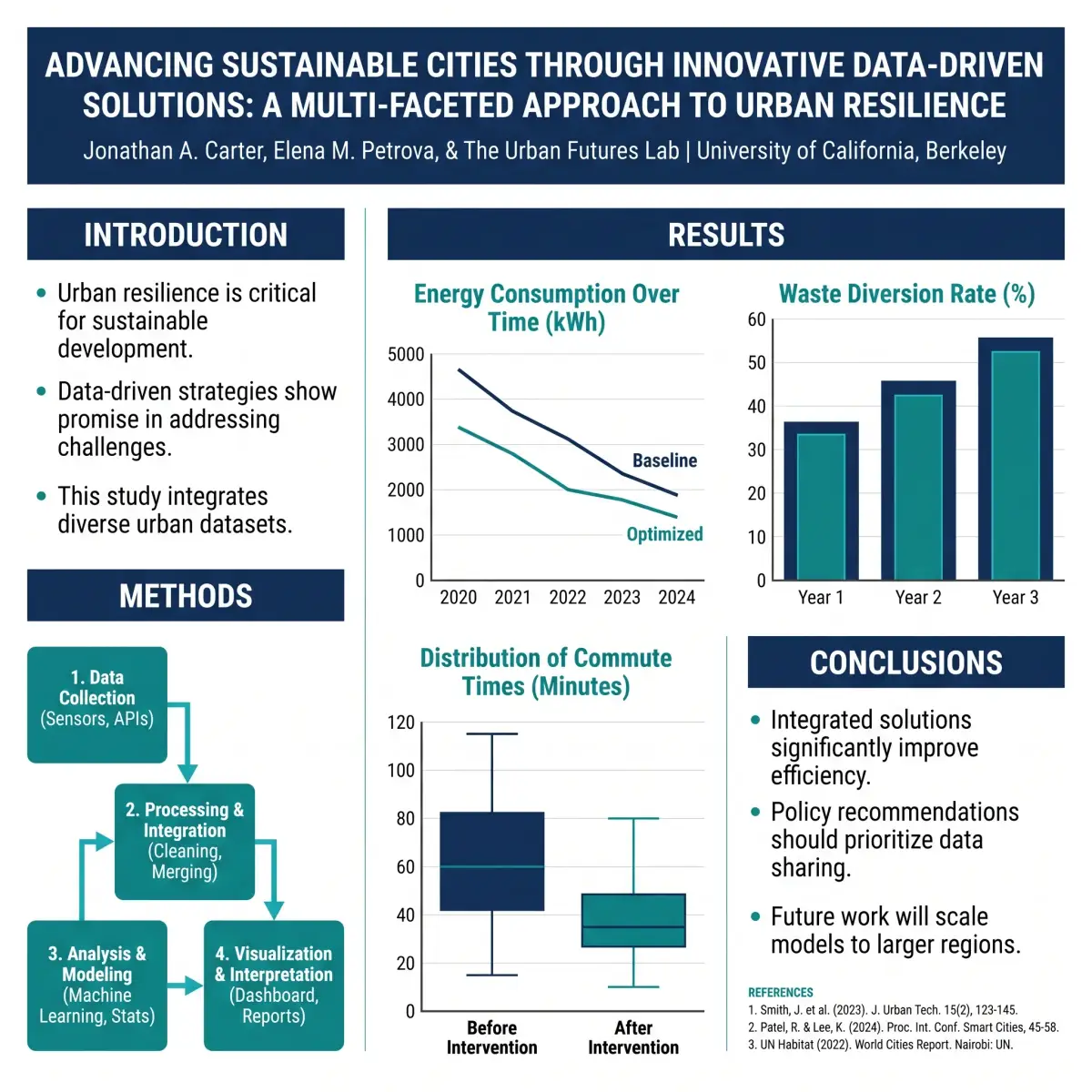
NewTurn your abstract, methods, and results into a full conference poster — title bar, IMRaD sections, charts, and references, sized for a 48 × 36 in board or an A0 stand.
