Research Flowchart Maker for Methods, Proposals and Theses

A research flowchart shows how a study is carried out, step by step: the data or question it starts from, the methods in order, the decision points, and what comes out at the end. Describe your study design in plain text, numbered if you like, and Vizcept draws the flowchart as a figure for a grant proposal, a thesis proposal or a methods section.

Numbered steps and decision diamondsParallel cohorts and side modulesPNG 300 DPI and SVG

Research Flowchart Maker

Optional

Describe your own study on the left to generate your flowchart

What is a research flowchart?

A research flowchart is a figure that lays out the steps of a study in the order they are carried out, from the starting point (a research question, a dataset, a group of participants) through the methods to the outputs. It answers the reviewer's question "what exactly will you do, and in what order?" in one picture. Depending on the field and the document it goes in, the same figure is called a methodology flowchart, a study flow diagram, a research design flowchart, an experimental workflow, or, in Chinese grant proposals, a technical route diagram (技术路线图).

Most research flowcharts share a few parts:

PartWhat it showsHow it is drawn
Main lineThe steps of the study in orderBoxes stacked top to bottom, joined by arrows
StagesGroups of steps: preparation, data collection, analysis, outputsLabelled bands or a bracketed column at the left
Decision pointsA step whose answer sends the study one of two waysA diamond with a Yes branch and a No branch
Parallel tracksCohorts, arms or data sources that run side by sideColumns of equal width that meet in a shared box
Side modulesControl groups, validation sub-studies, quality control, theoretical basisBoxes beside the main line, tied to the step they support
OutputsWhat the study delivers: findings, a protocol, a model, publicationsThe last row

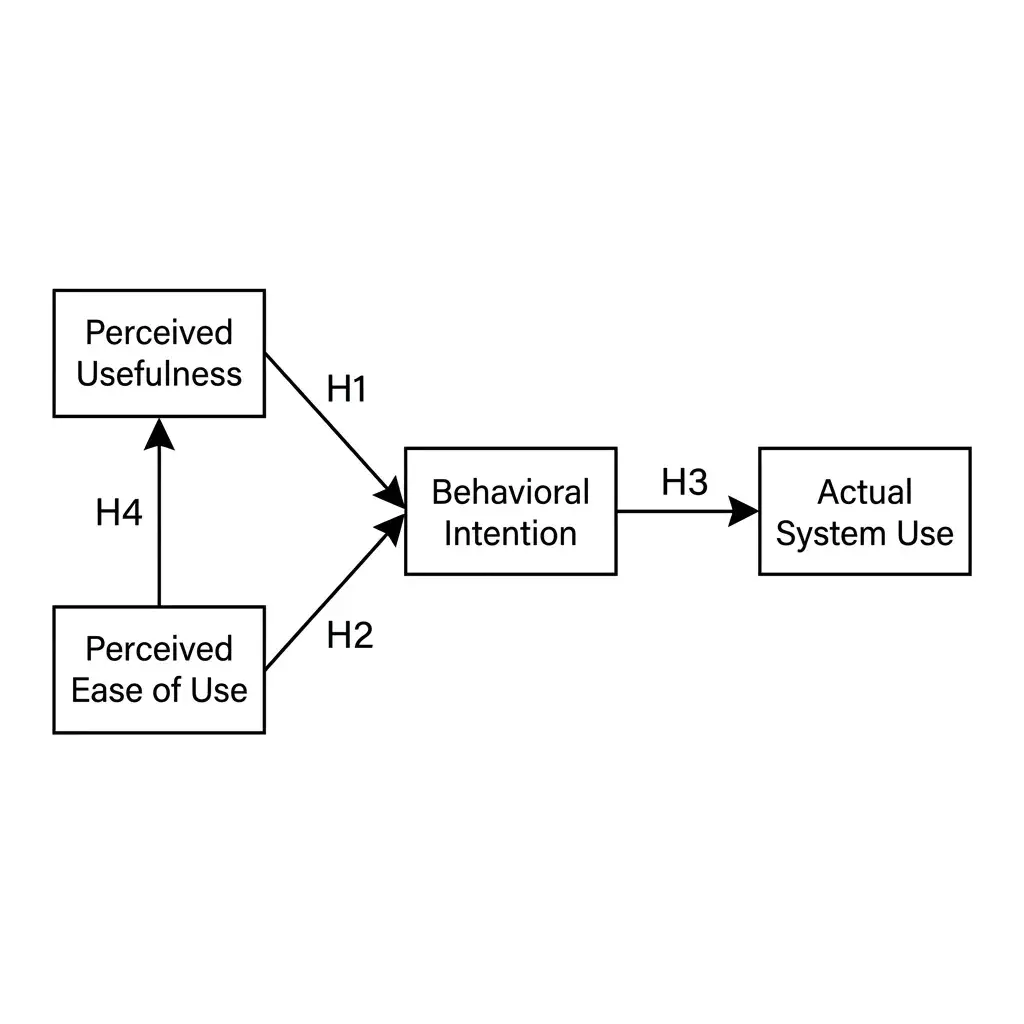
A research flowchart is not the same as a conceptual framework. The framework shows which variables or constructs the study relates and how (hypotheses, mediators, moderators); the flowchart shows the sequence of work. A thesis proposal often has both: the framework in the literature chapter, the flowchart in the methodology chapter. Vizcept has a separate conceptual framework generator for the first.

How to Make a Research Flowchart in Three Steps

Your study design in, a methods figure out.

The steps are already in your proposal or your methods chapter. What takes the evening is boxing them in Word, lining up the arrows and redoing it when a reviewer asks for a decision point. Write the steps down and let the generator draw them.

1

Write the Steps in Order

List what the study does, in the order it happens: where the data or participants come from, each method or work package, any decision point phrased as a question ("Eligible?", "Safe to implant?"), groups that run in parallel, and the outputs. Numbering (1, 2, 3 or ①②③) is kept as you wrote it. Put supporting modules, such as a control group, a validation sub-study or quality-control measures, in their own sentence and say which side they go on.

2

The Figure Is Drawn From Your Text

An image model draws the flowchart from a prompt built for this figure type: a vertical main line, diamonds for the questions with Yes and No branches, parallel columns for cohorts or tracks, side modules next to the step they support, and the outputs in the last row. Labels stay in the language you wrote them in, so a 技术路线图 comes out in Chinese.

3

Check the Labels, Then Export

Compare each box with your text, then export. If a step is missing or a branch is wrong, edit your description and generate again, or mark the spot on the figure and describe the change. Download a PNG at 300 DPI for Word or a slide, or an SVG.

What kinds of research flowchart can it draw?

The AI flowchart generator draws any free-form study flow from your description; the common kinds are listed below. PRISMA and CONSORT are not on the list because they have fixed templates and their own typeset tools.

  • Research methodology flowchart: research question → design → data collection → analysis → reporting, for a thesis methodology chapter
  • Study design diagram: cohorts, arms, time points and decision rules, for a protocol or a grant proposal
  • Experimental workflow: sample handling, treatments and measurements in order, for a methods section
  • Analysis pipeline: sequencing, imaging or machine-learning stages with QC gates and branches for samples that fail
  • Technical route diagram (技术路线图): research basis, work packages, methods and expected outcomes, for NSFC and university applications
  • Design-based or action research cycle: iterations drawn as a loop, with the design principles as the output

Where does a research flowchart go, and what do reviewers look for?

  • Grant proposals. NIH, NSFC, Horizon Europe and most national funders ask for a research plan, and reviewers read a flowchart faster than two pages of prose. In Chinese NSFC and provincial applications the 技术路线图 is expected in the research plan section, and a proposal without one looks unfinished.
  • Thesis and dissertation proposals. The methodology chapter states the design; a flowchart at the start of the chapter lets the committee check that the data collection, analysis and validation steps match the research questions.
  • Methods sections. Journals in medicine, engineering, computing and the environmental sciences often print a workflow figure as Figure 1, especially for pipelines with several processing stages.
  • Protocol papers and registrations. A study flow diagram shows the time points, the decision rules and what happens to participants who leave.

What reviewers check: that every research question maps to a step, that each decision point says what happens on both branches, that validation or quality control is visible rather than mentioned in passing, and that the outputs at the bottom are the deliverables the proposal promises. A flowchart that is only a list of method names, with no decisions, no branches and no outputs, reads as a table of contents rather than a plan.

How numbers and decisions get into the figure

A research flowchart carries numbers: a target sample size, a matching ratio, a reliability threshold (ICC ≥ 0.80), follow-up time points (6 weeks, 3, 6 and 12 months), a cut-off that splits a decision. Write them in the description exactly as they should appear and the prompt instructs the model to copy them into the boxes unchanged, in your language and your notation.

An image model draws this figure type, which has consequences for how you check it:

  • Read every label. Image models sometimes drop a word, merge two boxes or misspell a long technical term. Compare each box with your text before you insert the figure.
  • Keep labels short. A box holding three sentences will be drawn with small, crowded text. One line per step, with the detail in the caption, draws more cleanly and reads better at print size.
  • Say the structure, not just the list. "Step 4 is a decision: if safe, go to step 5; if not, record as screening failure" draws a diamond with two branches. "Step 4: safety check" draws a box.
  • Do not use it for PRISMA or CONSORT. Those two figures have fixed templates and Vizcept typesets them with code so the counts are set from your text; use the PRISMA flow diagram generator or the CONSORT flow diagram generator instead.

More on which figures are typeset and which are drawn: how Vizcept draws each kind of figure.

Research flowchart maker, Word SmartArt, draw.io or a template?

OptionCostWhat you enterWho places the boxesGood for
Word or PowerPoint SmartArtFree with OfficeStep names, one per shapeOffice, from a fixed layoutA straight list of steps with no branches
draw.io, Lucidchart, VisioFree to paidEvery box, arrow and label, by handYouFull control, any shape, when you have the hour
Downloaded template (ProcessOn, EdrawMax, Canva)Free to paidYour labels typed into someone else's layoutThe template authorWhen a template happens to match your design
FigCanvas, FigureLabsFree tier, then paidA descriptionAn AI modelSame approach as Vizcept; compare the output on your own study
VizceptYour first figure on Vizcept is free without an account (watermarked preview); signed in, a figure drawn by the image model costs 5 credits at 2K; a one-time pack of 150 credits is $19.90A description of the study, numbered if you like, in any languageAn image model, with a prompt written for research flowchartsA first draft in a minute, then edit by text or markup

If the flowchart is a plain top-to-bottom list, SmartArt is enough. If it has parallel cohorts, decision diamonds and side modules, drawing it by hand in draw.io is the slow but exact route, and a generated figure is the fast one to iterate on. Prices checked 22 October 2026.

Who Draws a Research Flowchart

Applicants · Students · Pipeline builders

Three groups draw this figure most often, each for a different document.

Grant Applicants and Principal Investigators

NIH, NSFC, Horizon Europe, foundation proposals

The research plan needs one figure that a reviewer can follow in thirty seconds: work packages in order, the validation step, the deliverables. Write the plan as numbered steps and get a figure to paste into the application.

  • Work packages, milestones and deliverables in one figure
  • Labels in Chinese, English or any language you write
  • Regenerate when the plan changes before the deadline
Draw My Research Plan

Master's and PhD Students Writing a Proposal

Methodology chapter, proposal defence

Your supervisor wants the design on one page before the defence: sampling, instruments, analysis, validity checks. Describe the chapter and the flowchart gives the committee the overview before they read the detail.

  • Mixed-methods and sequential designs with pilot loops
  • Decision points with both branches shown
  • Free trial without an account, no payment details needed
Draw My Methodology Chapter

Lab and Computational Researchers

Methods figures and protocol papers

A sequencing, imaging or machine-learning pipeline has stages, quality-control gates and branches for samples that fail. Write the pipeline as steps and get a Figure 1 for the methods section or the protocol paper.

  • QC gates drawn as decision points
  • Parallel sample tracks that merge at analysis
  • SVG and 300 DPI PNG for journal upload
Draw My Pipeline

Research Flowchart Examples

Six study designs

Each figure below was generated from the text shown underneath it. Reuse an example as a starting point and swap in your own steps.

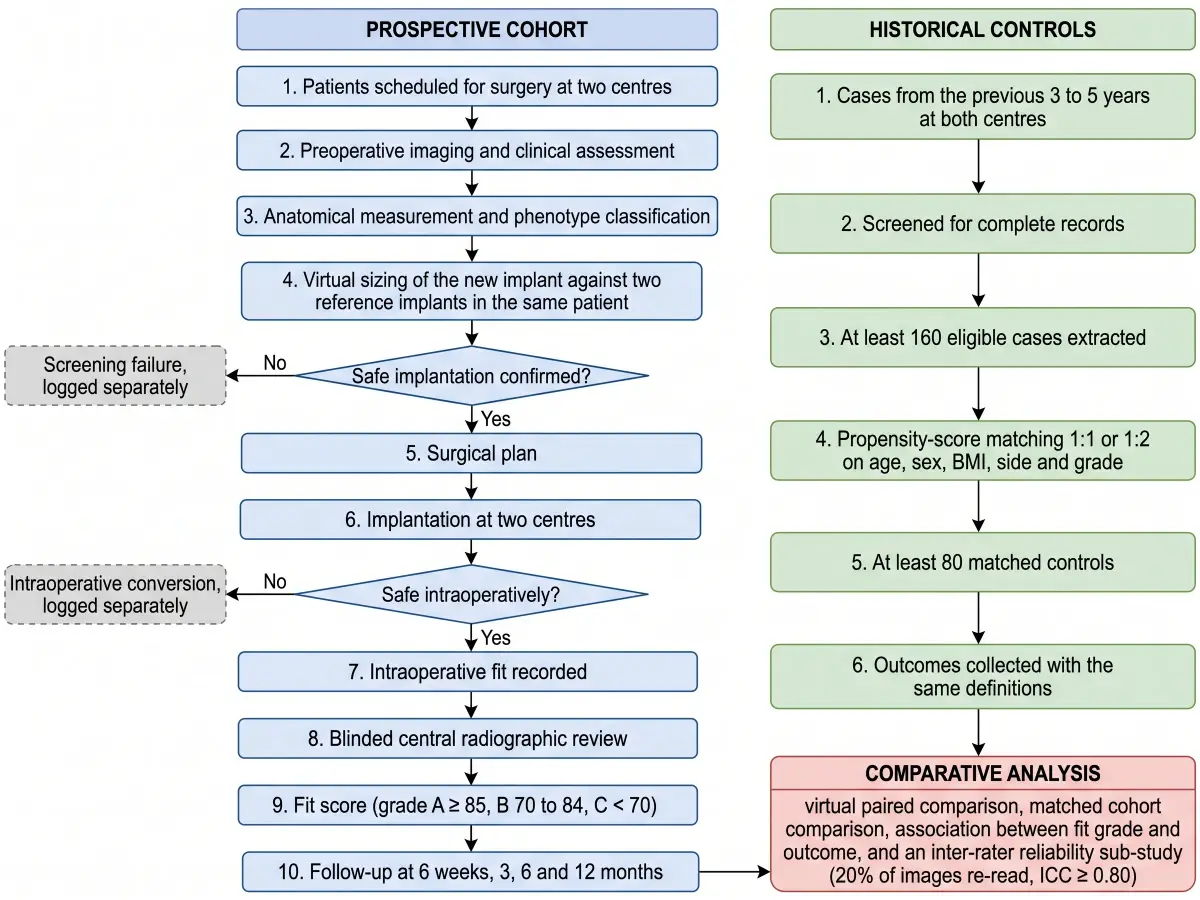
Prospective Cohort With Historical Controls

Prospective Cohort With Historical Controls

Two parallel columns, two safety decision points, a comparison box at the bottom

Prompt used for this figure

Vertical research flowchart for a two-centre prospective device study with a historical control group, drawn as two parallel columns that merge at the bottom. Left column, prospective cohort (blue header): 1. Patients scheduled for surgery at two centres; 2. Preoperative imaging and clinical assessment; 3. Anatomical measurement and phenotype classification; 4. Virtual sizing of the new implant against two reference implants in the same patient; decision diamond "Safe implantation confirmed?": No leads to a grey dashed box "Screening failure, logged separately"; Yes leads to 5. Surgical plan; 6. Implantation at two centres; decision diamond "Safe intraoperatively?": No leads to "Intraoperative conversion, logged separately"; Yes leads to 7. Intraoperative fit recorded; 8. Blinded central radiographic review; 9. Fit score (grade A ≥ 85, B 70 to 84, C < 70); 10. Follow-up at 6 weeks, 3, 6 and 12 months. Right column, historical controls (green header): 1. Cases from the previous 3 to 5 years at both centres; 2. Screened for complete records; 3. At least 160 eligible cases extracted; 4. Propensity-score matching 1:1 or 1:2 on age, sex, BMI, side and grade; 5. At least 80 matched controls; 6. Outcomes collected with the same definitions. Bottom, both columns flow into a red-headed box "Comparative analysis": virtual paired comparison, matched cohort comparison, association between fit grade and outcome, and an inter-rater reliability sub-study (20% of images re-read, ICC ≥ 0.80).

Mixed-Methods Education Study

Mixed-Methods Education Study

Sequential explanatory design with a pilot loop and integration step

Prompt used for this figure

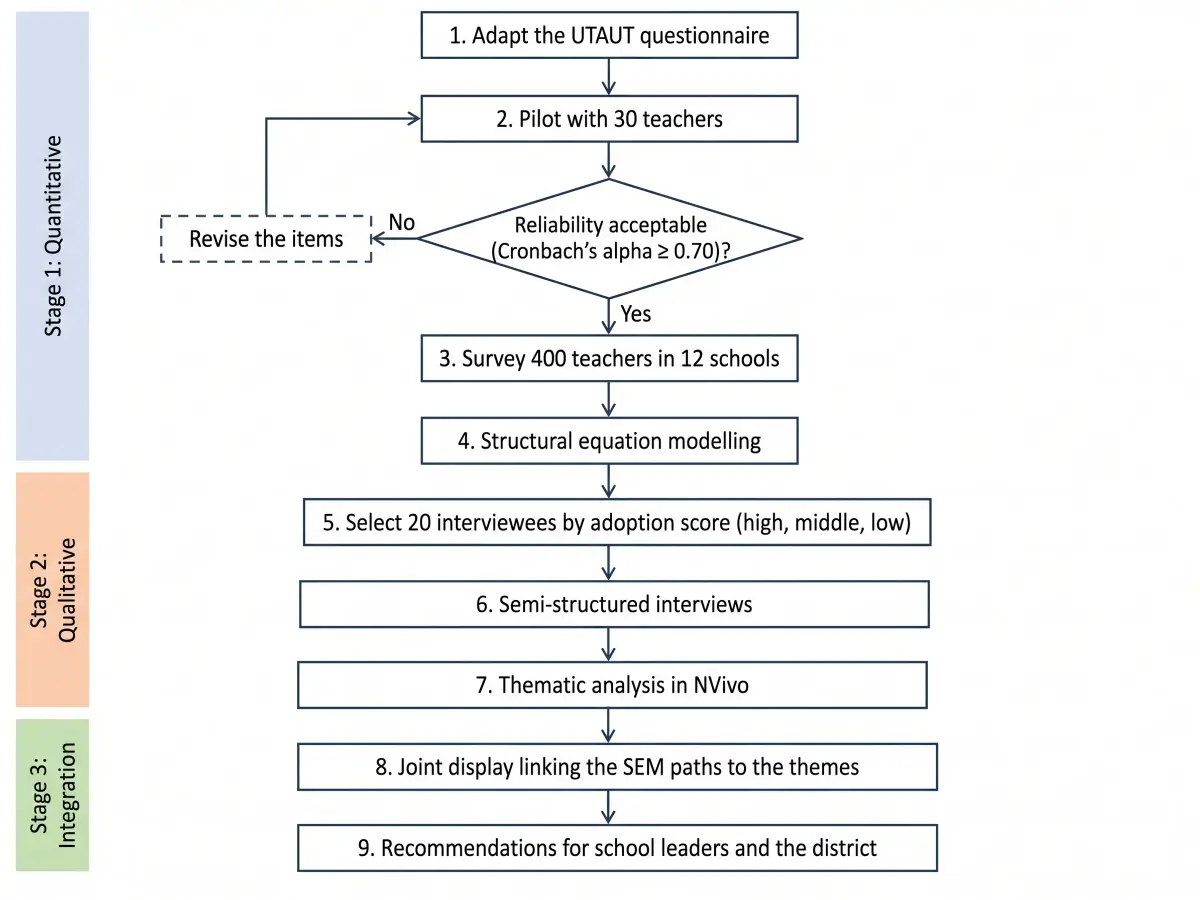
Research flowchart for a sequential explanatory mixed-methods study of teacher technology adoption, top to bottom. Stage 1, quantitative: 1. Adapt the UTAUT questionnaire; 2. Pilot with 30 teachers; decision diamond "Reliability acceptable (Cronbach's alpha ≥ 0.70)?": No loops back to revise the items, Yes continues; 3. Survey 400 teachers in 12 schools; 4. Structural equation modelling. Stage 2, qualitative: 5. Select 20 interviewees by adoption score (high, middle, low); 6. Semi-structured interviews; 7. Thematic analysis in NVivo. Stage 3, integration: 8. Joint display linking the SEM paths to the themes; 9. Recommendations for school leaders and the district. Label the three stages at the left edge.

RNA-seq Analysis Pipeline

RNA-seq Analysis Pipeline

A lab-to-computation pipeline with two QC gates

Prompt used for this figure

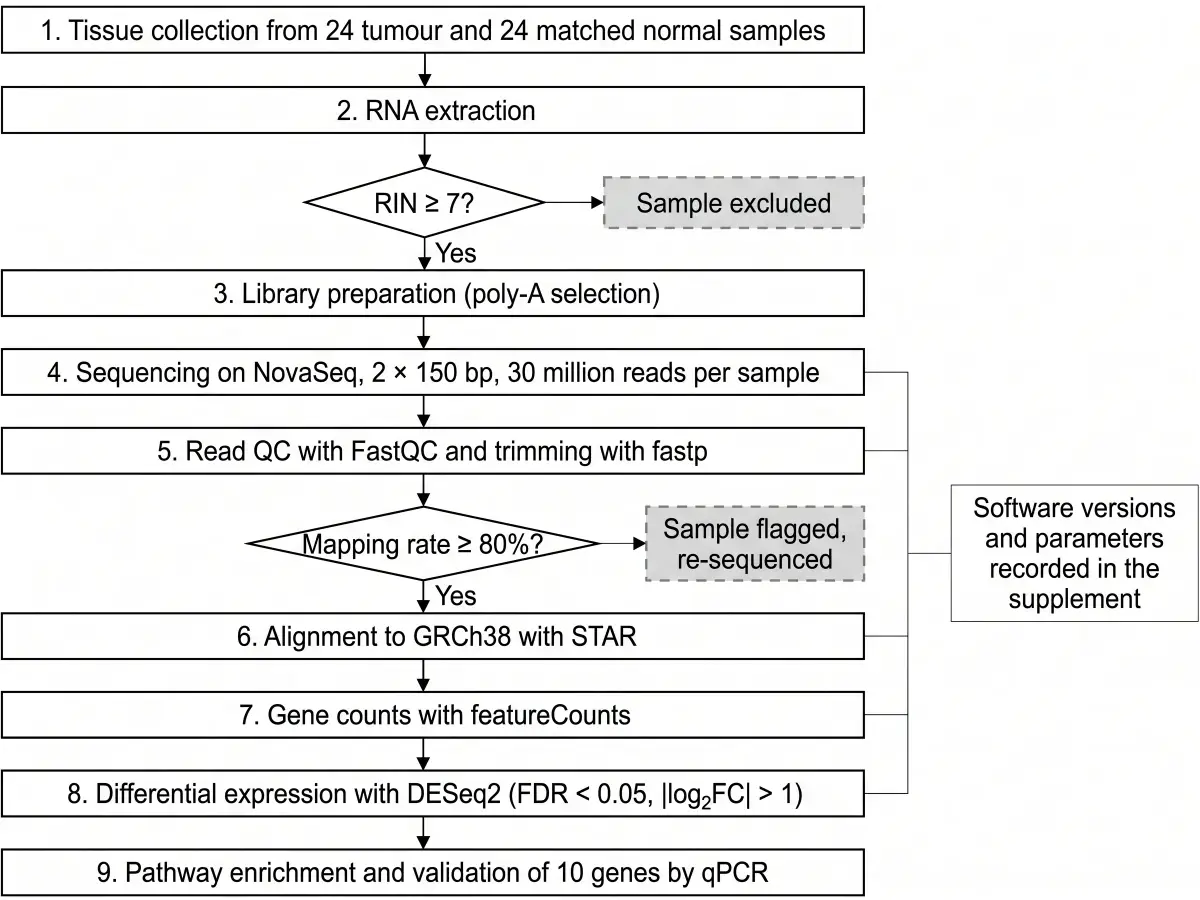
Methods flowchart for an RNA-seq study, vertical. 1. Tissue collection from 24 tumour and 24 matched normal samples; 2. RNA extraction; decision diamond "RIN ≥ 7?": No goes to a grey box "Sample excluded", Yes continues; 3. Library preparation (poly-A selection); 4. Sequencing on NovaSeq, 2 × 150 bp, 30 million reads per sample; 5. Read QC with FastQC and trimming with fastp; decision diamond "Mapping rate ≥ 80%?": No goes to "Sample flagged, re-sequenced", Yes continues; 6. Alignment to GRCh38 with STAR; 7. Gene counts with featureCounts; 8. Differential expression with DESeq2 (FDR < 0.05, |log2FC| > 1); 9. Pathway enrichment and validation of 10 genes by qPCR. Put a side module on the right of steps 5 to 8 labelled "Software versions and parameters recorded in the supplement".

Design-Based Research Cycle

Design-Based Research Cycle

Two iterations drawn as a loop, design principles as the output

Prompt used for this figure

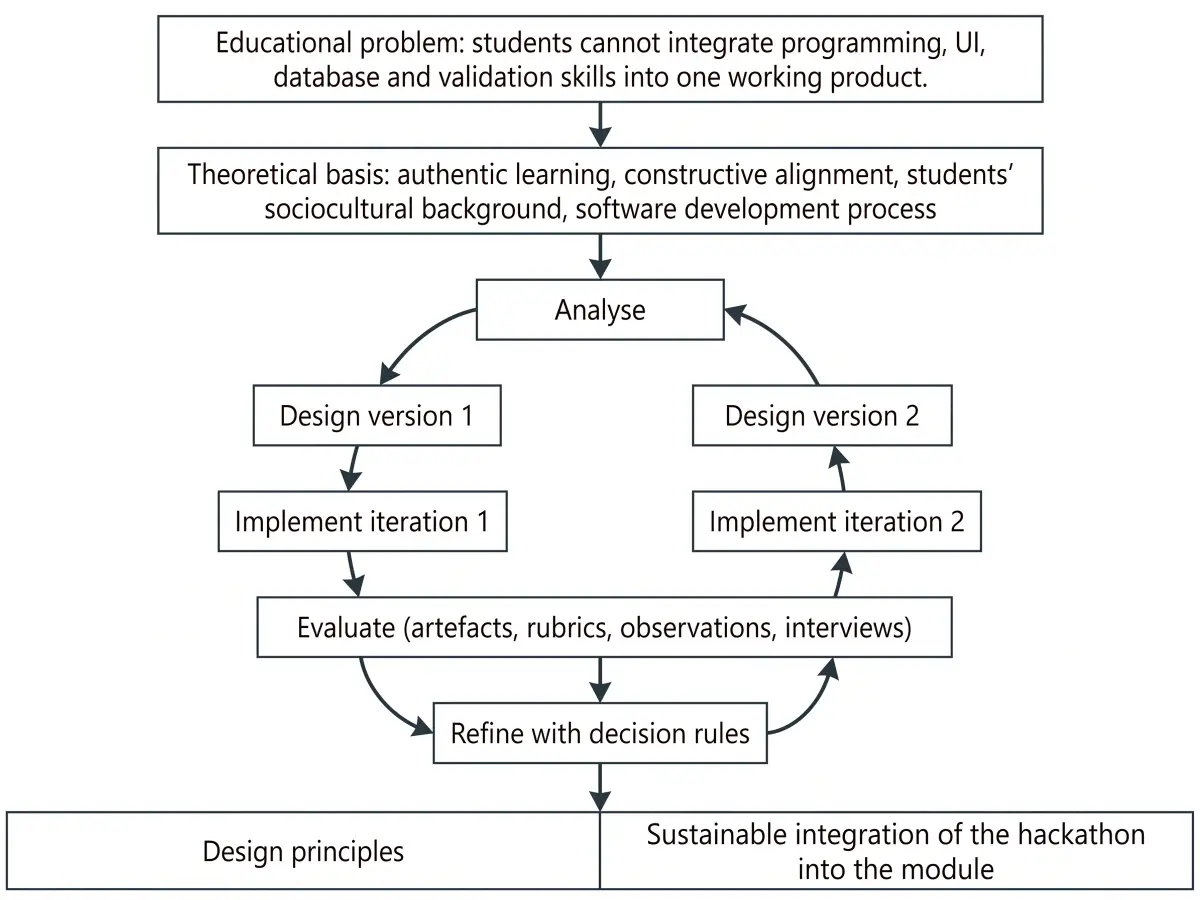
Research flowchart for a design-based research study of a curriculum-integrated hackathon in a second-year software module. Top: Educational problem: students cannot integrate programming, UI, database and validation skills into one working product. Below it a box "Theoretical basis: authentic learning, constructive alignment, students' sociocultural background, software development process". Then the cycle, drawn as a loop with arrows: Analyse → Design version 1 → Implement iteration 1 → Evaluate (artefacts, rubrics, observations, interviews) → Refine with decision rules → Design version 2 → Implement iteration 2 → Evaluate. An arrow leaves the loop into the output row: "Design principles" and "Sustainable integration of the hackathon into the module". Keep it minimal and academic, white background.

Technical Route for a Grant Proposal (Chinese)

Technical Route for a Grant Proposal (Chinese)

Research basis, three work packages, validation and expected outcomes, labels in Chinese

Prompt used for this figure

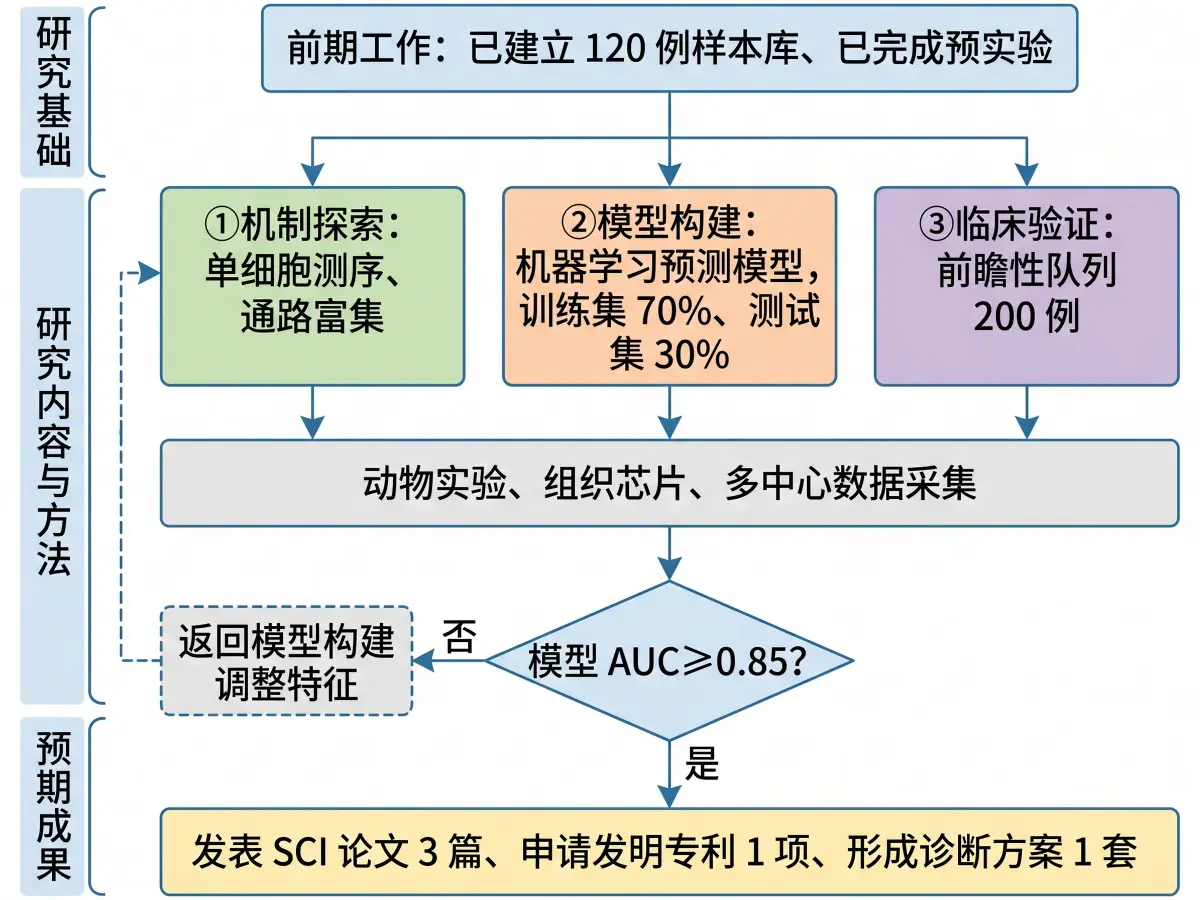
技术路线图,竖版,自上而下。顶部:研究基础(前期工作:已建立 120 例样本库、已完成预实验)。第一层「研究内容」分三个并列模块:①机制探索:单细胞测序、通路富集;②模型构建:机器学习预测模型,训练集 70%、测试集 30%;③临床验证:前瞻性队列 200 例。三个模块向下汇入「方法与技术」:动物实验、组织芯片、多中心数据采集。再向下是菱形判断框「模型 AUC ≥ 0.85?」:否→返回模型构建调整特征;是→进入「预期成果」:发表 SCI 论文 3 篇、申请发明专利 1 项、形成诊断方案 1 套。左侧标注三个阶段:研究基础、研究内容与方法、预期成果。

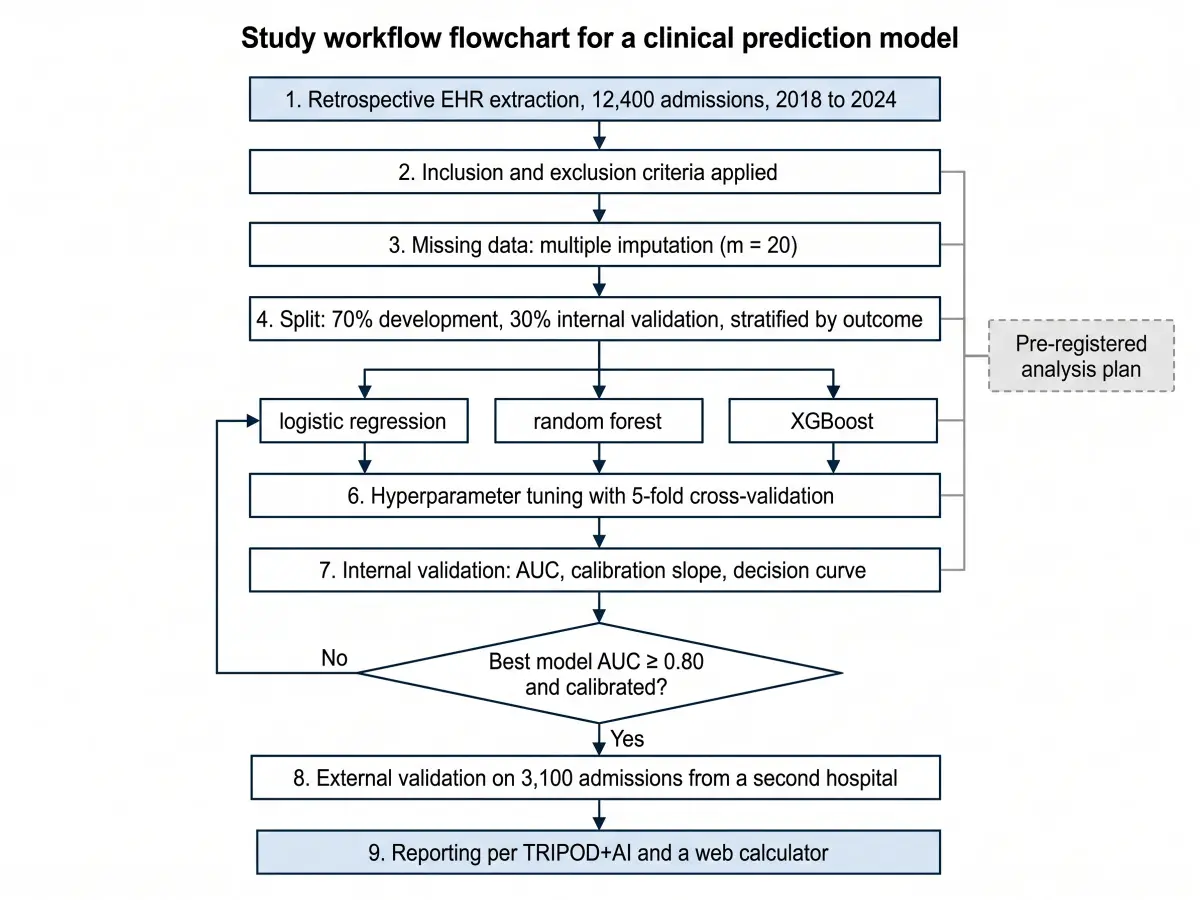
Machine Learning Study Workflow

Machine Learning Study Workflow

Data split, model comparison, external validation and reporting

Prompt used for this figure

Study workflow flowchart for a clinical prediction model, vertical. 1. Retrospective EHR extraction, 12,400 admissions, 2018 to 2024; 2. Inclusion and exclusion criteria applied; 3. Missing data: multiple imputation (m = 20); 4. Split: 70% development, 30% internal validation, stratified by outcome; 5. Candidate models drawn as three parallel boxes: logistic regression, random forest, XGBoost; 6. Hyperparameter tuning with 5-fold cross-validation; 7. Internal validation: AUC, calibration slope, decision curve; decision diamond "Best model AUC ≥ 0.80 and calibrated?": No returns to step 5 for feature revision, Yes continues; 8. External validation on 3,100 admissions from a second hospital; 9. Reporting per TRIPOD+AI and a web calculator. Right side module beside steps 4 to 7: "Pre-registered analysis plan".

What This Research Flowchart Maker Does

Built for the shapes a study design takes

A methods figure is more than a list in boxes. The generator's prompt is written around the parts a research flowchart has: a main line, stages, decision points, parallel tracks, side modules and outputs.

Steps

Your Numbering, Your Order

1, 2, 3 or ①②③

Steps are drawn top to bottom in the order you wrote them, with the numbering you used kept inside the boxes. Stage names you give (preparation, data collection, analysis, outputs) become labels along the left edge.

Decisions

Decision Diamonds With Both Branches

Yes continues, No goes aside

A step phrased as a question becomes a diamond. The Yes branch continues down the main line; the No branch goes sideways into a smaller dashed box with the outcome you describe (excluded, re-tested, returned to an earlier step).

Tracks

Parallel Cohorts and Tracks

Columns that merge

Two or more groups, arms or data sources that run side by side are drawn as columns of equal width with their own header, converging into one comparison or analysis box at the bottom.

Modules

Side Modules Where You Put Them

Controls, validation, QC

A control group, a validation sub-study, quality-control measures or the theoretical basis can sit beside the main line, tied to the step they support. Say "left" or "right" and the figure follows.

Language

Labels in the Language You Write

中文 · Español · Deutsch

Describe the study in Chinese and the boxes are in Chinese; nothing is translated to English on the way. Numbers, abbreviations and instrument names are copied as written.

Export

PNG at 300 DPI and SVG

Word, LaTeX, slides, grant portals

The PNG drops into Word, a slide or a grant portal at print resolution. The SVG is a vector file traced from the drawn figure, which scales without blurring; its text is not editable, so to change a label edit your description and generate again.

Start free, upgrade when you need more

Your first 2K figure on Vizcept is free without an account; the download is a watermarked preview. Upgrade for 4K, no watermark and SVG downloads while you revise, or buy a one-time credit pack for a single proposal with no subscription.

Student or teacher? Apply for an education discount

Apply now

Research Flowchart Maker: Common Questions

FAQ

A figure that shows the steps of a study in the order they are carried out: the starting point (a question, a dataset or a group of participants), the methods, any decision points, groups that run in parallel, and the outputs. It is also called a methodology flowchart, a study flow diagram or, in Chinese proposals, a technical route diagram (技术路线图). It differs from a conceptual framework, which shows how the study's variables relate rather than what the study does.

Write the steps in order, one per line, numbered if you like. Phrase a decision as a question and say what happens on each branch. Put groups that run side by side in separate sentences, and name any side modules (control group, validation, quality control). Paste the text into the box at the top of this page and click Generate; the figure is drawn in about a minute. Check every label against your text, then download a PNG or SVG.

The common sequence is: identify the problem or question; review the literature; state the hypotheses or objectives; choose the design; collect the data; analyse the data; interpret and report. Your own flowchart should show your study's specific steps, instruments and decision rules, not this generic list. A figure that only names the seven generic stages tells a reviewer nothing about your plan.

ChatGPT can write the steps and can produce code for a flowchart (Mermaid or Graphviz) that you then render elsewhere; its image generation is not reliable for diagrams with many labelled boxes. Vizcept draws the figure from your text with a prompt written for research flowcharts (main line, diamonds, parallel columns, side modules, outputs), returns a 300 DPI PNG or an SVG, and lets you mark a box on the figure and describe a change.

Partly. Watermark-free downloads, 4K PNGs and SVGs are paid, because each figure is drawn by an image model that costs us money. Credit packs start at $19.90 for 150 credits (30 figures at 2K), valid for a year, and never renew; monthly plans start at $14.90. For free, your first figure needs no account, new accounts get sign-up credits (fewer in some countries) plus daily check-in credits, and free downloads are 2K PNGs with a small watermark. Free alternatives are Word SmartArt for a straight list of steps, or draw.io for a full diagram you place by hand.

Yes. Describe the route in Chinese, with the stages (研究基础、研究内容、研究方法、预期成果), the modules and any decision points, and the boxes are drawn in Chinese in the vertical layout used in NSFC and university proposals. The fifth example above was generated from a Chinese description.

No. PRISMA and CONSORT are fixed templates for two specific figures, the literature screening of a systematic review and the participant flow of a randomized trial, with standard box wording and counts in each box. Vizcept typesets those two with code from your numbers, so use the PRISMA flow diagram generator or the CONSORT flow diagram generator for them. A research flowchart is free-form and shows the steps of any study.

Usually, but not guaranteed. An image model draws this figure type, and image models occasionally drop a word, merge two boxes or misspell a long term. The prompt tells the model to copy every label, number and threshold exactly as written and to invent nothing, and in practice short labels come through reliably while long sentences in a box do not. Read every box against your text before you use the figure; if a label is wrong, edit the description and generate again.

PNG at 300 DPI, and SVG. The SVG is traced from the drawn figure into vector shapes, so it scales cleanly but its text cannot be edited in Illustrator. Free downloads carry a watermark; paid plans and credit packs download the original and the SVG. There is no PDF export; insert the PNG into Word and save the document as PDF.

Yes, two ways. Edit your description and generate again, which is the safer route when a step, a number or a branch is wrong. Or click Edit, draw on the part of the figure you want changed and describe the change; the image model redraws the figure from your markup. Each edit costs credits, so for a wording fix the first route is cheaper.

Word, for a straight list of steps: SmartArt's Process layout boxes and arrows the steps for you. Excel only gives you shapes on a grid; it is the wrong tool unless the flowchart sits next to data you want to keep in the same file. Neither draws decision diamonds with two labelled branches or parallel cohorts without you placing every shape by hand, which is where a generator or draw.io takes over.

It depends on the shape of the flowchart. For a plain top-to-bottom list, Word SmartArt is free and already installed. For a full diagram you place yourself, draw.io is free with no account. For a figure drawn from a description, Vizcept's first figure is free without an account (a watermarked 2K preview), and FigCanvas gives free daily credits behind a sign-in. If your flowchart has branches and parallel arms, the comparison table above lines up the four options.

Your Study Design, As One Figure

Write the steps, check each box against your text, and export a PNG at 300 DPI or an SVG for the proposal.

Unlock all tools

One subscription unlocks every Vizcept AI diagram tool — from free body diagrams and syntax trees to biology diagrams and more.

View pricing

Other tools you might like

Explore more AI diagram tools across subjects — from the same discipline and beyond.

AI Diagram MakerPopular

AI Diagram Maker

Describe any topic in plain English and get a publication-ready scientific diagram in seconds.

Open tool
Conceptual Framework GeneratorNew

Conceptual Framework Generator

Turn variables, mediators, moderators, and hypotheses into a labeled conceptual framework for thesis and journal research.

Open tool
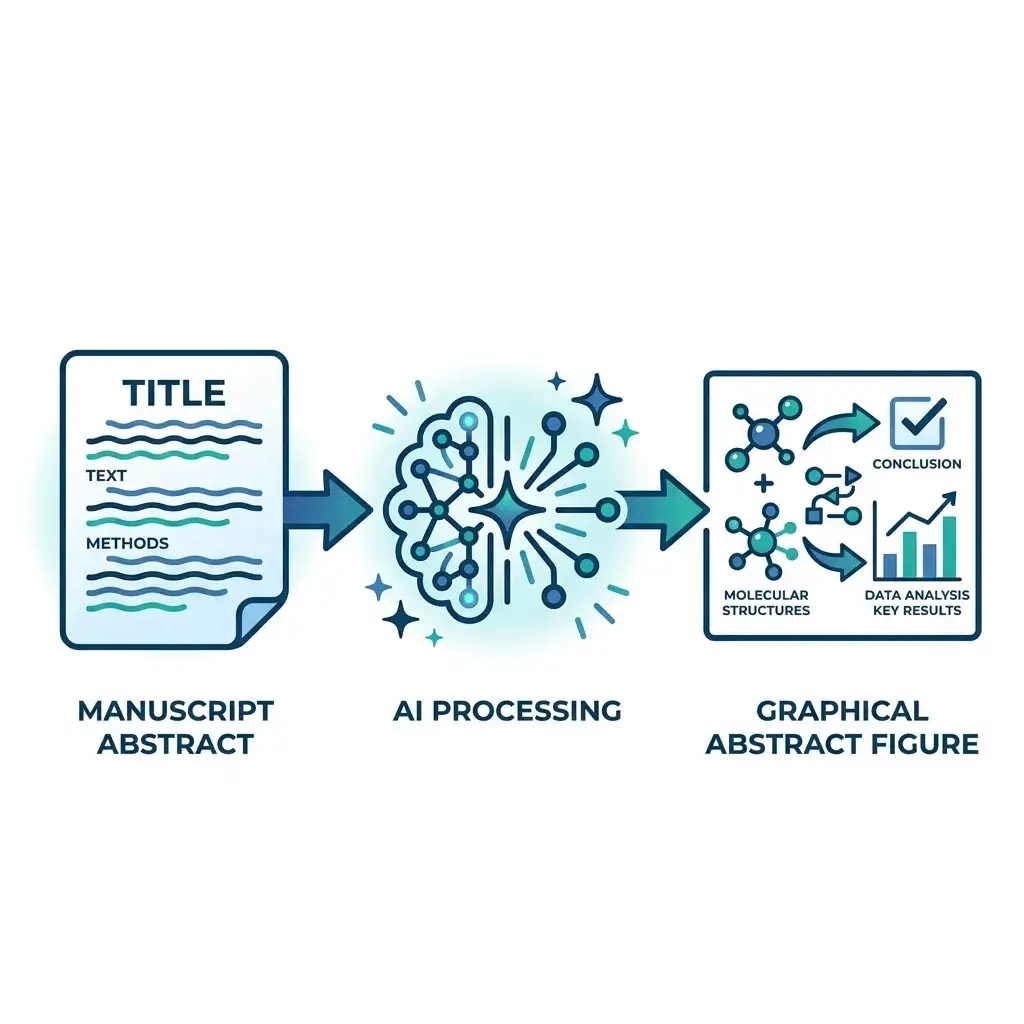
Graphical Abstract MakerNew

Graphical Abstract Maker

Paste your manuscript abstract — get a journal-ready graphical abstract in Elsevier, Cell Press, Wiley, or ACS dimensions in under a minute.

Open tool
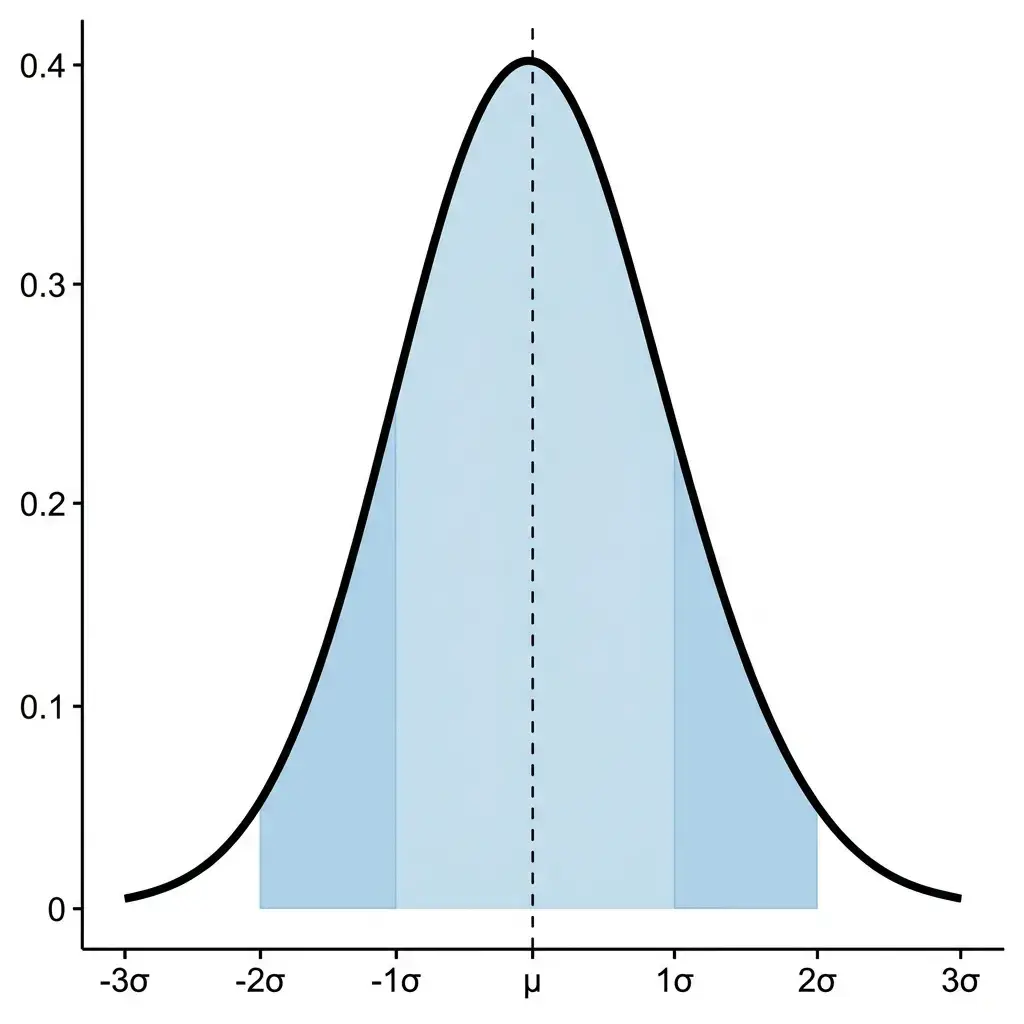
Bell Curve MakerNew

Bell Curve Maker

Type a mean and standard deviation, paste data, or set up a confidence interval or hypothesis test, and get an exact normal curve with the shaded area, its probability and the steps.

Open tool
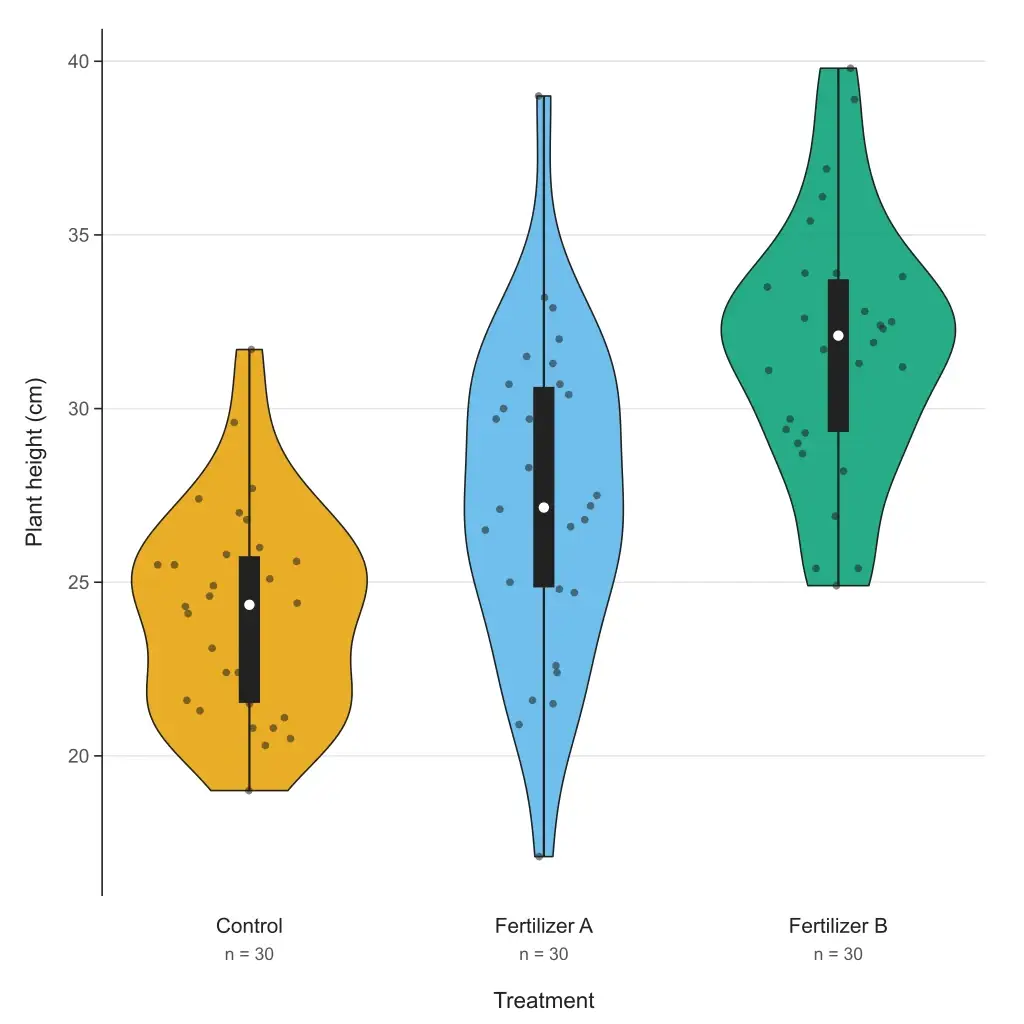
Violin Plot MakerNew

Violin Plot Maker

Paste your data and get a violin plot in your browser — grouped or single, box or quartiles inside, adjustable bandwidth, editable SVG and 300 DPI PNG. Free to paste and download; or describe your data and let AI fill it in.

Open tool
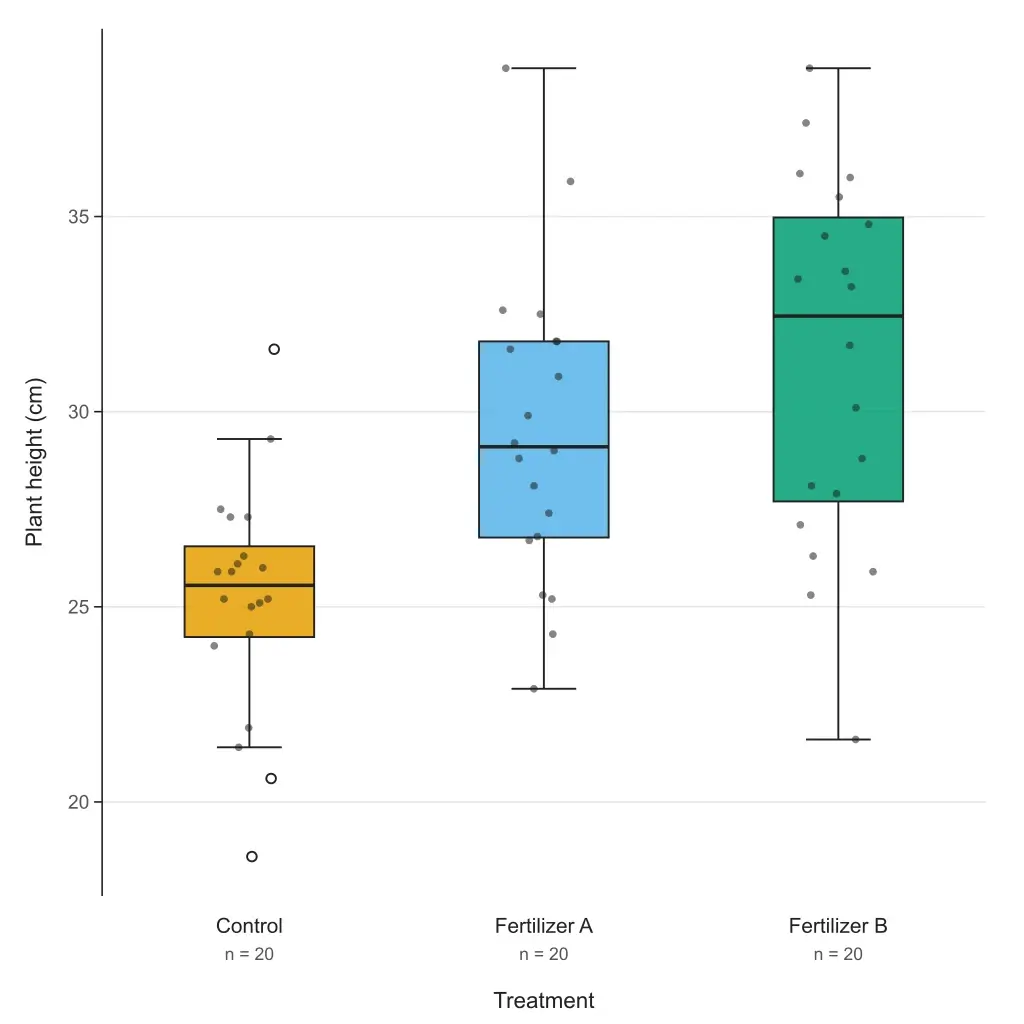
Box Plot MakerNew

Box Plot Maker

Paste your data or a five-number summary and get a box and whisker plot with quartiles, outliers and labels. Choose the TI-84, Excel or R quartile method; export editable SVG or 300 DPI PNG. Free to paste and download.

Open tool
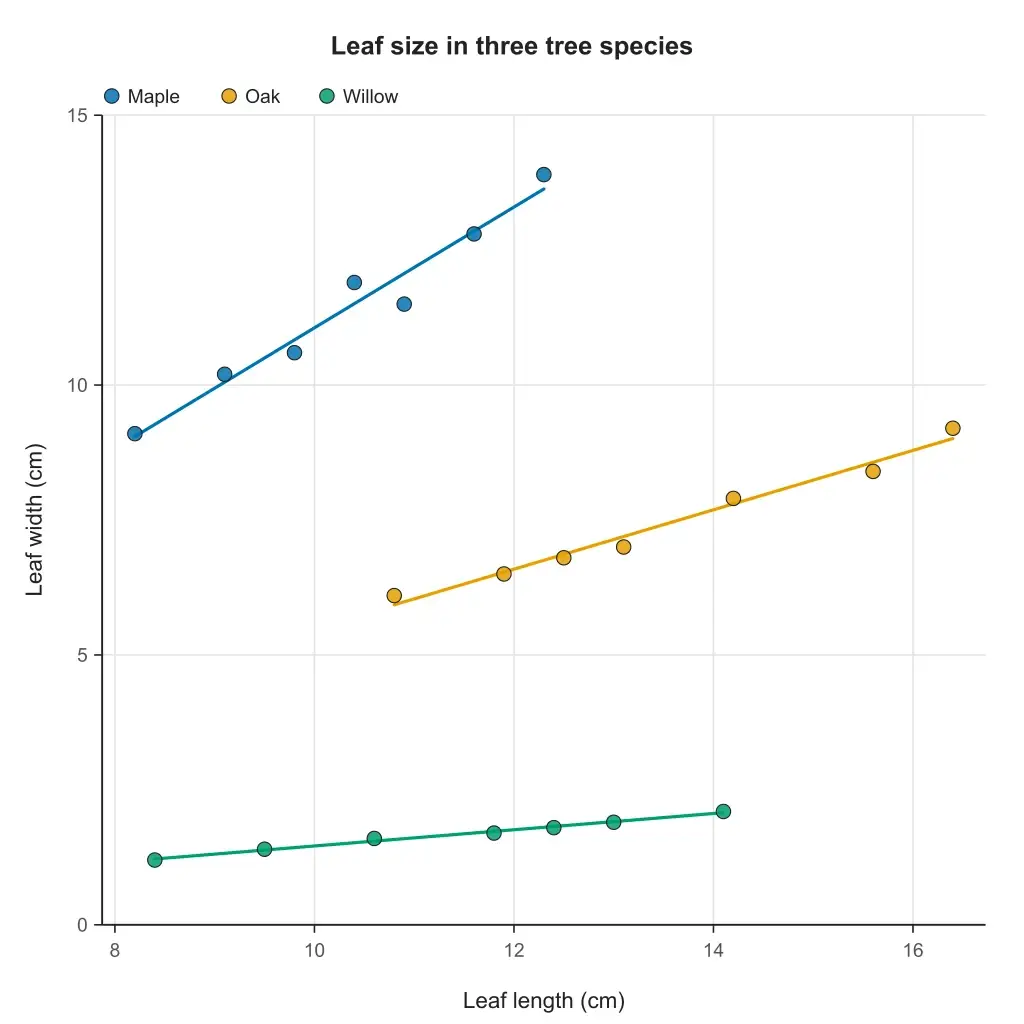
Scatter Plot MakerNew

Scatter Plot Maker

Paste two columns from Excel or a CSV and get a scatter plot with the line of best fit, its equation, r and R². Groups, point labels and step-by-step working; export editable SVG or 300 DPI PNG. Free to paste and download.

Open tool
PRISMA Flow Diagram GeneratorNew

PRISMA Flow Diagram Generator

Turn your screening counts into a PRISMA 2020 flow diagram — three phases, exclusion boxes, and PNG 300 DPI or SVG export for systematic reviews and meta-analyses.

Open tool
Featured on Findly.tools